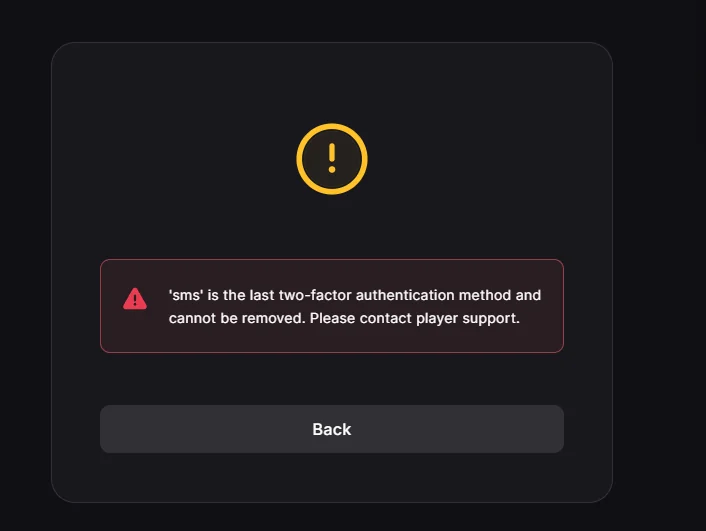
When trying to log in to Epic Games, you may encounter an issue where the SMS verification code never arrives, leaving you stuck on the two-factor authentication screen with no way to continue. This usually happens when SMS-based two-factor authentication (2FA) fails to deliver the verification code to your phone.
In some cases, Epic Games may successfully send the code, but your device does not receive it due to network delays, weak reception, or filtering by your mobile carrier. In other situations, the request to send the code may fail before it reaches your phone.
Before trying the solutions below, make sure your phone has a stable network connection and can receive regular SMS messages. If necessary, restart your device, disable Do Not Disturb mode, and confirm that your SMS inbox is not blocked or full. These basic checks can sometimes resolve temporary SMS delivery issues.
Epic Games supports multiple two-factor authentication methods, and SMS is only one of them. If the SMS code is not arriving, switching to email verification or an authenticator app may allow you to sign in successfully.
Keep in mind that the Try another way option will only appear if additional authentication methods (such as email or an authenticator app) were already enabled on your account. If SMS is your only configured method, you may need to use backup codes or contact Epic Games Support.
Another way to regain access to your account is by using backup codes, also known as one-time recovery codes. These codes are generated when you first enable two-factor authentication and are intended for situations where your primary authentication method becomes unavailable.
Using a backup code allows you to bypass the SMS verification step entirely and log in directly to your Epic Games account. Each backup code can only be used once, so it is recommended to generate a new set of codes after successfully signing in.
If the SMS code still does not arrive, try logging in using a different device or web browser. This helps rule out problems caused by browser extensions, corrupted cookies, cached login sessions, or device-specific conflicts that may interrupt the authentication request.
Signing in from another device or browser creates a fresh authentication session, which can resolve cases where the verification request fails to properly trigger the SMS delivery process.
If none of the recovery options work, your final option is to contact Epic Games Support. The support team can verify your account ownership and help you regain access if your two-factor authentication methods are not working correctly.
This option is especially helpful if SMS verification continues to fail, your phone number has changed, or you no longer have access to your registered authentication methods.
In many cases, SMS delivery problems are temporary and resolve after a short period. If possible, wait a few minutes and request the verification code again, as repeated requests in a short period may trigger temporary SMS rate limits. If the problem persists, switching to another authentication method or contacting Epic Player Support is the most reliable way to regain access to your account.
Hamza Mohammad Anwar

Fix: "sms is the last two-factor authentication" in Epic Games – Appuals