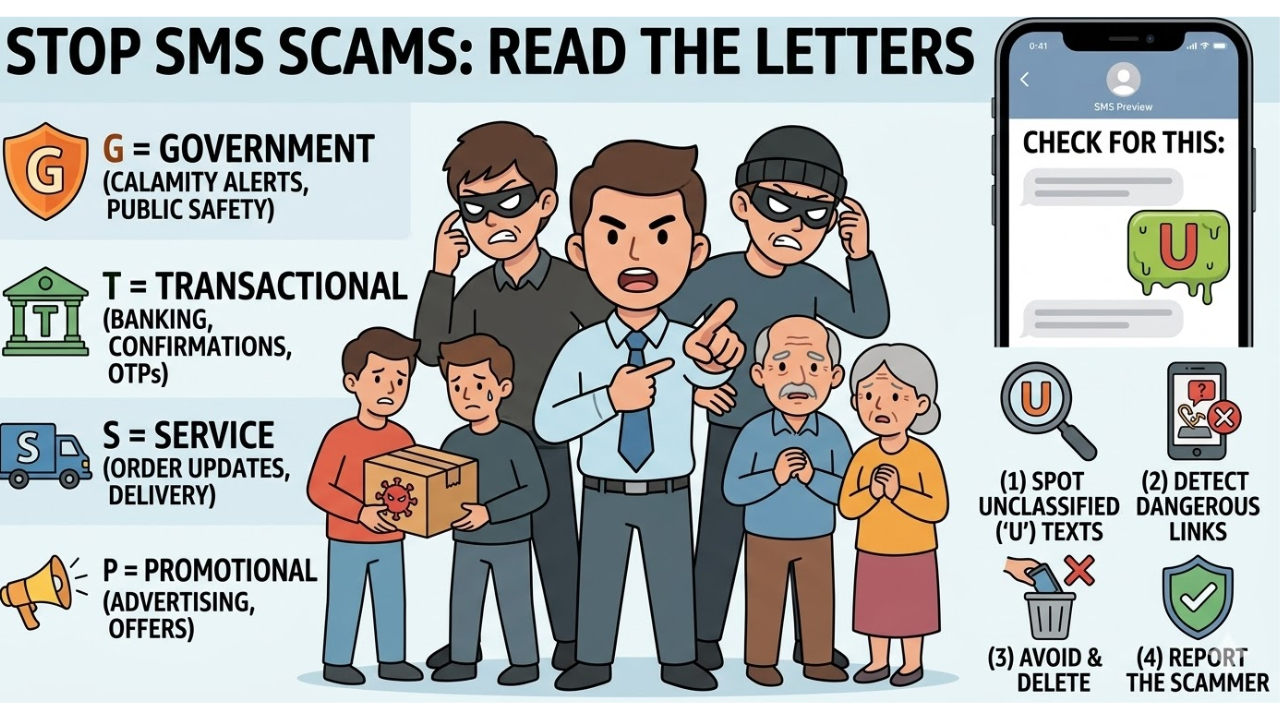
Hidden Code In Your SMS? What Letters Like P, G, T, S At The End Of Messages Actually Mean (Image credit: AI-generated)
In a digital era where smartphone users receive dozens of SMS alerts regularly, a tiny alphabet at the end of text can carry more significant meaning than most people realise. Have you ever wondered what these tiny letters stand for and how beneficial they are to prevent scams? These letters are not random and convey a legitimate meaning.
What Do The Alphabets At The End Of SMS Alerts Mean?
The telecom regulators in India require SMS senders to categorise their messages based on the nature of the communication. As a consequence, several messages ending with a specific letter indicate a meaning.
“G” Means A Government Message
If an SMS ends with the letter G, it generally means that the sender of that text is a government body. Such messages could include alerts related to natural calamities, public safety, or information related to government schemes.
“T” Means A Transactional Message
An SMS ending with the letter T means that it is a transactional one. These texts are often sent by financial institutions, banks, or services to notify recipients about payments and OTPs.
“S” Means A Service Message
The S indicates a service-related SMS. These texts are often from companies and brands such as telecom operators, e-commerce platforms, or digital service providers. For example, Amazon and Flipkart may send updates about their orders ending with the letter S.
“P” Means A Promotional Message
An SMS ending with P denotes promotional in nature. These are advertising and marketing messages sent by businesses to market their products and services. For example, educational loans, deals on clothing, admissions to colleges, and more.
Your SMS Isn’t Random: What Letters Like P, G, T, S At The End Mean And How They Help Identify Scams (Image credit: AI-generated)
How To Prevent Scams
Identifying these letters can also help users to prevent scams and fraud. Experts note that scam messages usually do not end with any of these letters and do not follow standard SMS categories. While the absence of these letters does not definitely mean a scam, it can work as a warning sign to stay vigilant about them.
How To Stop Promotional Messages
Users who do not want to receive promotional messages can activate Do Not Disturb service through their telecom operator services.
For Jio Users
Go to the MyJio app> Proceed to Menu> Click on Settings and activate Do Not Disturb. Choose Set Preferences and pick the desired level of DND.
For Airtel and Vi users
Go to the Airtel app> Enable DND. Similarly, Vi users can also enable DND to stop receiving promotional messages.
Get Latest News live on Times Now along with Breaking News and Top Headlines from Technology Science and around the world.
Govind Choudhary is the Chief Copy Editor for Tech at Times Now with over five years of experience in the media industry. He covers consumer technolog… View More

Your SMS May Contain A Hidden Code! What Messages Ending With Letters Like P, G, T, S Mean And How They Can He – Times Now