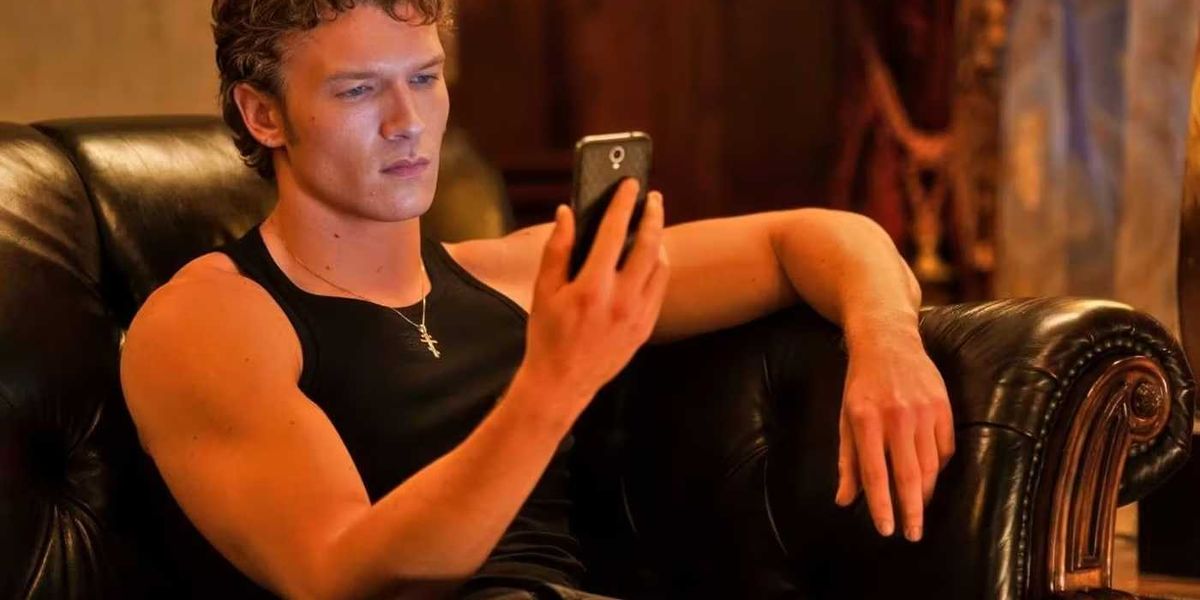
Ways to make sure your text messages don't distract.
Heated Rivalry
While scrolling TikTok over the holiday, I was delighted to see No Film School fav Valentina Vee pop up on my FYP.
She's a cinematographer and Adobe expert, and recently she's been lending her expertise to some great analysis of the first season of HBO Max's Heated Rivalry, which had its season finale a week ago. (No, I'm not over it.)
One of Vee's videos about the show's use of text messages included some great tidbits for filmmakers to remember. Check it out below.
Has this become a Heated Rivalry fanpage? Maybe. I feel insane and compelled to discuss it almost against my will at this point. What’s that about?
Heated Rivalry has become one of HBO's biggest hits since its November premiere, and for good reason. The series, based on a popular book series, follows hockey rivals Shane Hollander and Ilya Rozanov through a years-long secret relationship. Texting becomes one of their primary forms of communication. It's realistic and helps tell their story when they can't verbally communicate.
But what makes these scenes work so well when they could easily be clunky?
If you've ever poked around in Adobe Stock, for instance, you've probably found those After Effects templates that allow you to pop a text conversation into your footage. It can look good, but you need to be careful of how you shoot the footage behind it and also make sure that the story justifies including the texts at all. (Vee mentions that sometimes these overlays can take a viewer out of the story altogether. You don't want that.)
But here, it works. Vee highlighted several smart reasons why, which are techniques any filmmaker can learn from.
The first thing Vee pointed out is that the texts are secondary to the performances. Yeah, the messages are very visible as an overlay, but that means the show doesn't waste time showing us the phone screens, too. The lens usually fixes on the actors' faces for the whole conversation, shooting them in close-up. The scenes give us facial expressions and physical responses.
Vee mentions an interview with star Hudson Williams, in which he said that director Jacob Tierney would read the texts aloud during filming so the actors could react in real time. That would certainly explain the authenticity of the actors' reactions.
Don't let the text overlay do the heavy lifting in a silent conversation. Let the actors emote and keep the focus on the reactions they would have to a similar, real-life conversation.
 The Social NetworkCredit: Sony Pictures
Another thing Vee identified is that the show treats the text exchanges like regular dialogue scenes. The characters follow the 180-degree rule, with each person facing a different direction in their respective shots, just as they would in an in-person conversation.
If your DP or scripty isn't thinking about this, you might be liable to break this rule during texting scenes, creating a disorienting experience. By maintaining consistent screen direction, Heated Rivalry keeps viewers oriented in the spatial relationship between the characters, even when they're miles apart.
The technique creates visual language that audiences already understand. When Shane texts, facing the left side of the frame, and Ilya responds, facing the right, we immediately get the back-and-forth dynamic without needing to think about it.
Vee points out that the text messages don't move between cuts. Once a message appears on screen, it stays in the same position when the camera cuts back to that character.
This means your eyes don't have to hunt around the frame to re-locate the continuing conversation after each cut. The information stays exactly where you left it, so you can read fast and refocus on the faces.
Some films and shows animate their text messages, having them slide in or bounce around the frame. Heated Rivalry keeps it simple and functional. The texts appear, and they stay put.
 SherlockCredit: BBC
Another practical consideration Vee highlights is timing.
The static placement of the texts (and the fact that they were read live on set) ensures viewers can actually read them in the duration they appear on screen. The messages don't disappear too quickly.
This is basic, but remember that everyone's reading speed is different. Remember also, as Vee says, that your viewers will be seeing these texts for the first time, unlike you. Timing your edits to the spoken lines will definitely help avoid this problem.
There's a key moment in the show when Shane types out in a text, "We didn't even kiss." He then erases the text, finding it too vulnerable a thing to say so early in his relationship with Ilya. Talk about a huge character beat. This guy is deep in his feels.
As we see throughout the show, Shane often texts slowly, thoughtfully, and deletes and rewrites his messages before sending, while Ilya fires off words carelessly and quickly, sometimes with false confidence.
Their text messages are pulling double-duty as character-building elements. It's small but so great. You understand their personalities through how they use their phones, which is how we can learn about people in real life, too.
In your own work, think about how each of your characters would actually use their device. Do they use proper punctuation? Do they text like a Boomer… with ellipses…? Do they use emojis? Consider how different people in your own life communicate via text.
Texting is part of daily life now, so it's expected that these kinds of elements will appear in film and TV. So you can't ignore how people communicate, but you also can't let gimmicks pointlessly dominate your storytelling. Make sure it's there for a reason.
For filmmakers working with limited resources, this is all achievable. You don't need elaborate graphics or animation. You need clear framing, consistent screen direction, proper timing, and a focus on strong, authentic performances.
If you're ready to start thinking about this in your own project, we've got a few more resources you should check out. Here's how to format text messages in your screenplay. Here are other ways to use a smartphone as a storytelling device. Finally, we've got a tutorial to create text overlays in After Effects.

If You Include Text Message Overlays in Your Film Project, Do This – No Film School