by Jeff Springer · October 21, 2026 · News
SammyGuru is reader-supported. We have affiliate and sponsored partnerships, so we may earn a commission when you buy through links on our site, at no extra cost to you. Posts may contain sponsored or affiliate link placements. Learn more.
In this article
If you text with Google Messages on your Galaxy phone, one handy setting looks to be on its way out. Code found in a recent beta of the app shows Google is preparing to remove “Only send SMS & MMS messages,” the switch that lets you turn off RCS for a single conversation.
Android Authority spotted the change in a teardown of Google Messages beta version 20261002. The new text strings include a banner that reads, “The ‘Only send SMS & MMS messages’ setting is going away. Switch now, or let it update automatically,” along with a “Switch to RCS chats now” button. That’s a pretty big bummer.
Smartwatch of your choice, up to $499
4,876 entries so far.
RCS brings typing indicators, read receipts, sharper photos and chats over Wi-Fi, and it now works with iPhones too (with encryption). But it isn’t perfect for every conversation. The per-contact switch lets you keep RCS on for everyone else while sending plain SMS and MMS to one person, which helps when a chat keeps getting stuck on “Sending” or when a business fills your inbox with bloated promotional messages.
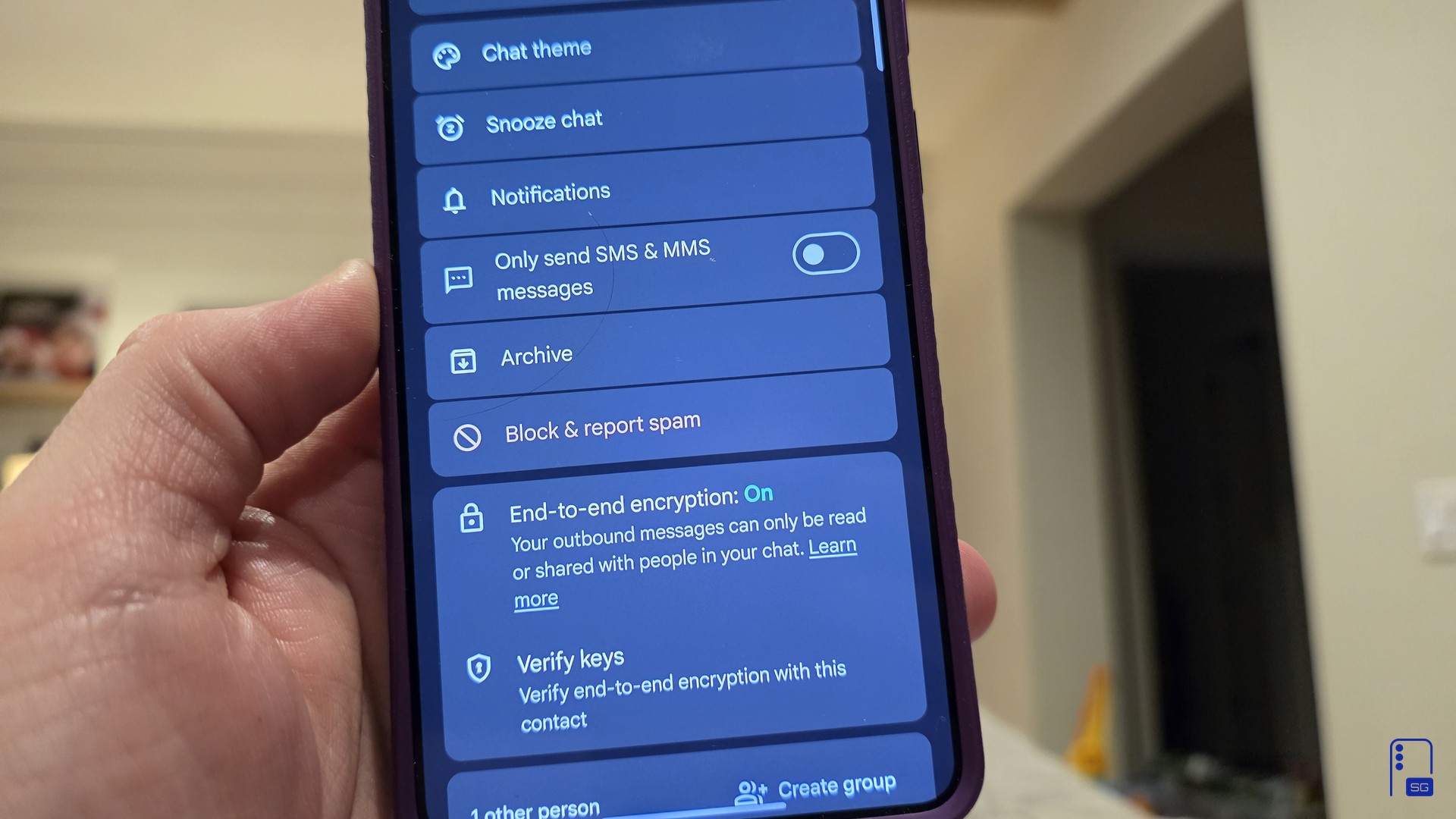
To find it, open the conversation, tap the three-dot menu, choose Details, and look for Only send SMS & MMS messages. Turning it on also turns off end-to-end encryption for that chat, as the Details page points out. Here’s how it looks on my phone with the switch on, then off.
Join SammyGuru Rewards for free. Every Galaxy you buy through SammyGuru comes with Bonus Gear: real accessories matched to your device, sent free to US members. Everyone earns Guru Points for visiting, posting in the forums and buying through us, and you get a hand-picked wallpaper free every week.
Once Google removes the switch, you’ll have two ways left to avoid RCS. You can turn off RCS chats for every conversation in Messages settings, or rely on the existing option that resends a message as SMS or MMS only after RCS delivery fails. There’s no per-contact middle ground.
That matters more for Galaxy owners than it did a year ago. Samsung Messages is gone in the US, so Google Messages is now the texting app on Galaxy phones here, and a change like this reaches nearly every Galaxy owner who texts.
Google hasn’t announced the change, and features found in beta code don’t always ship. Going by the strings, Messages will first show a banner warning you that the setting is going away, then move those conversations to RCS automatically if you don’t switch yourself. In a column on Tuesday, Android Police argued that the move could push some people away from RCS altogether.
We’ll update this post if Google confirms the change or it starts rolling out. Stay tuned.
Written by
Jeff Springer is the Founder and Managing Editor at SammyGuru. Pursuing his passion for mobile tech, he started covering Samsung and Android on his Youtube channel in 2014 and continues to post daily Samsung tutorial videos. As a past staff writer at XDA Developers and Android Police, Jeff has a wealth of experience managing written content as well. In 2023, Jeff started SammyGuru to offer a different type of Samsung news site. He firmly believes that providing great value to readers is the core mission of our coverage. Jeff lives in Phoenix, AZ with his wife and two kids. In his small amount of free time, he collects fountain pens, stationery, and Pokémon cards.
Smartwatch of your choice, up to $499
4,876 entries so far.
Join SammyGuru Rewards for free. Every Galaxy you buy through SammyGuru comes with Bonus Gear: real accessories matched to your device, sent free to US members. Everyone earns Guru Points for visiting, posting in the forums and buying through us, and you get a hand-picked wallpaper free every week.
The Daily Scoop · Free every weekday
Join 5,000+ readers. One tap to leave.
Free. We never sell your email. Privacy Policy
Samsung Galaxy news, deals, and reviews, plus leaks, hands-on guides, and the Mystery Box.
Never miss a Samsung drop
Get instant alerts for leaks, One UI updates, and the best Galaxy deals.
We use cookies to measure how the site is used and to show relevant ads. Decline and we keep only what the site needs to work.

Google Messages Is Preparing to Drop Its Per-Contact SMS Switch – SammyGuru