Google is following Apple’s iMessage app trying to do the same for Android devices by making Google Messages app common and more secure to all Android phones and tablets.
If you are using the Google Message app, then you are likely to see a lock symbol in front of most conversations that you have done over text messages.
This means that both parties have end-to-end encryption enabled and your messages will remain to you two only.
Let’s see what this Padlock symbol on Android Text messages means and how to remove it.
Table Of Contents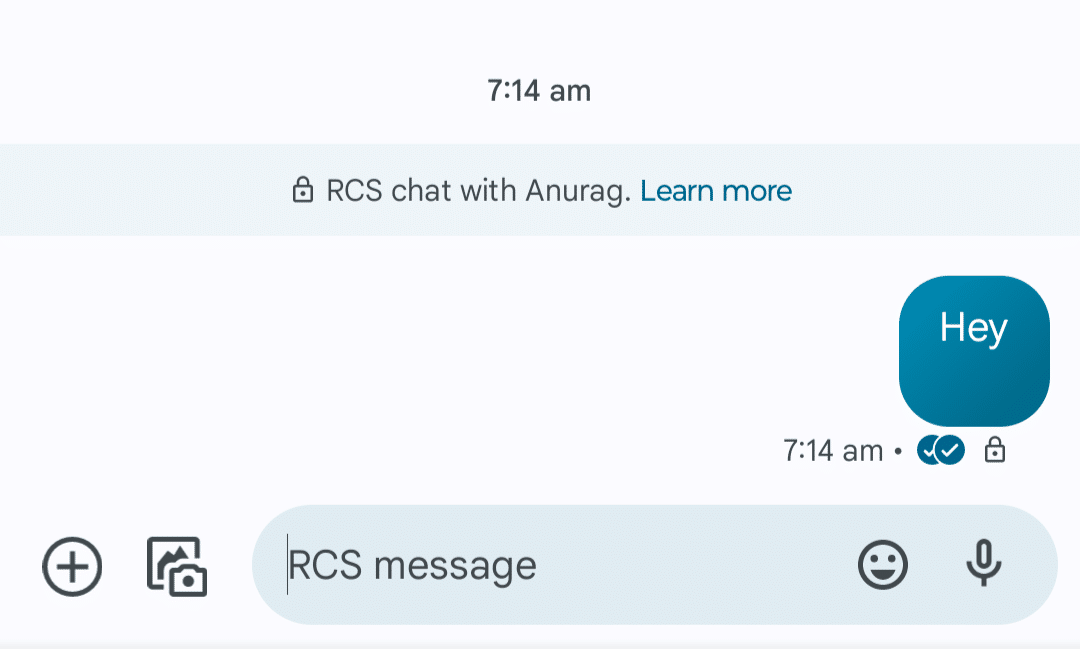
The lock symbol is a feature in Google Messages.
This is part of the RCS (Rich Communication Services) features indicating that end-to-end encryption is enabled between you and the person you are talking to.
This feature was initially introduced for Pixel devices in 2021 and is now available to all Android phones that use Google Messages as the default messaging app.
End-to-end encryption ensures that the conversation is secure. With end-to-end encryption enabled, no one can read the messages you send or receive, not even Google.
If you see the lock symbol on the messages, then that means that you and the other person are using the Google Messages app, and RCS chats are enabled on both of your devices.
The lock symbol indicates end-to-end encryption enabled between you and the person on the other end. The only way to remove this lock symbol is to disable the RCS chats feature from Google Messages. Given below are the steps to do so-
Note- Samsung users will see two messages apps, i.e., Google Messages and Samsung Messages. Open the Google Messages app and do not confuse it with Samsung Messages.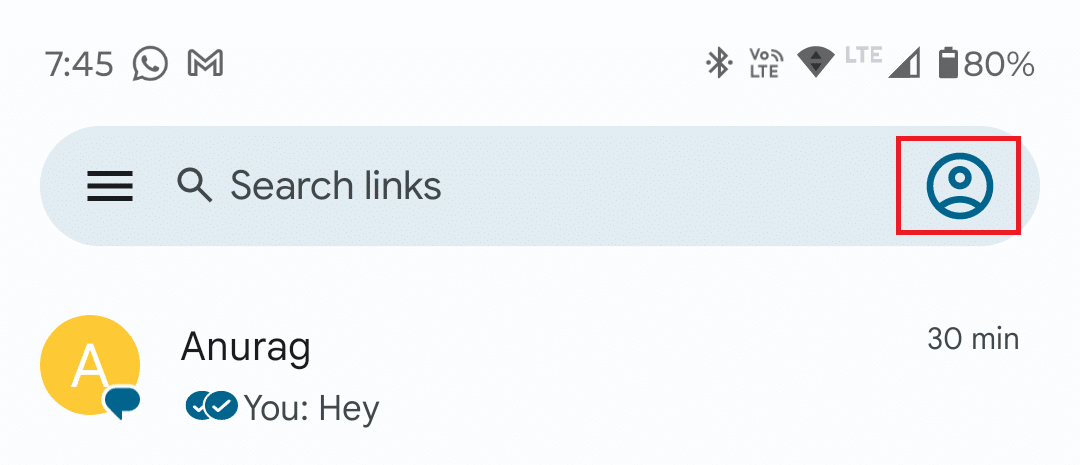
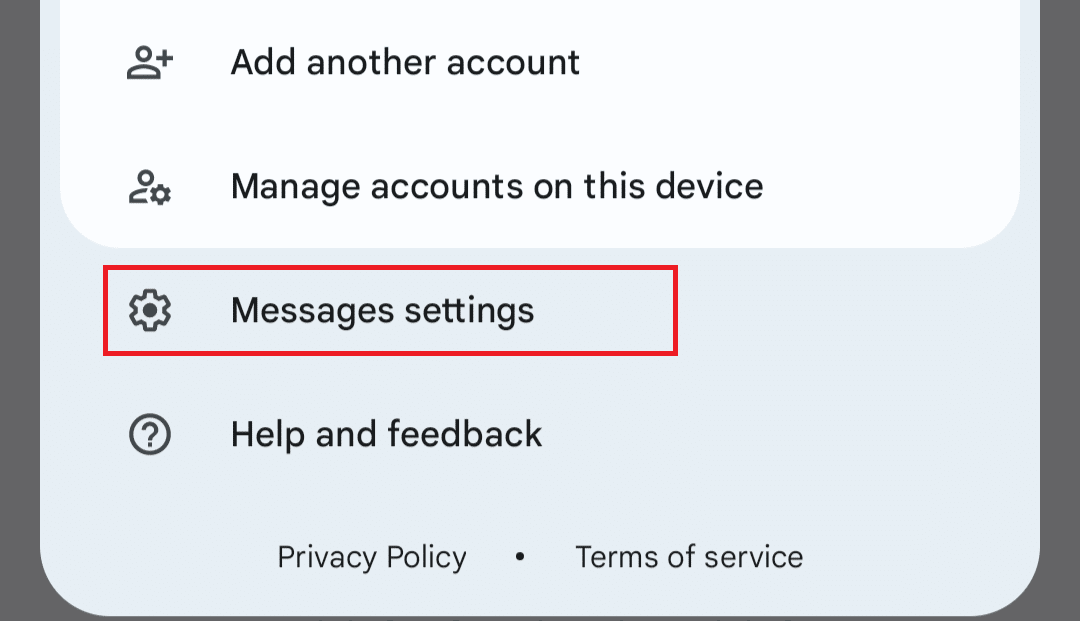
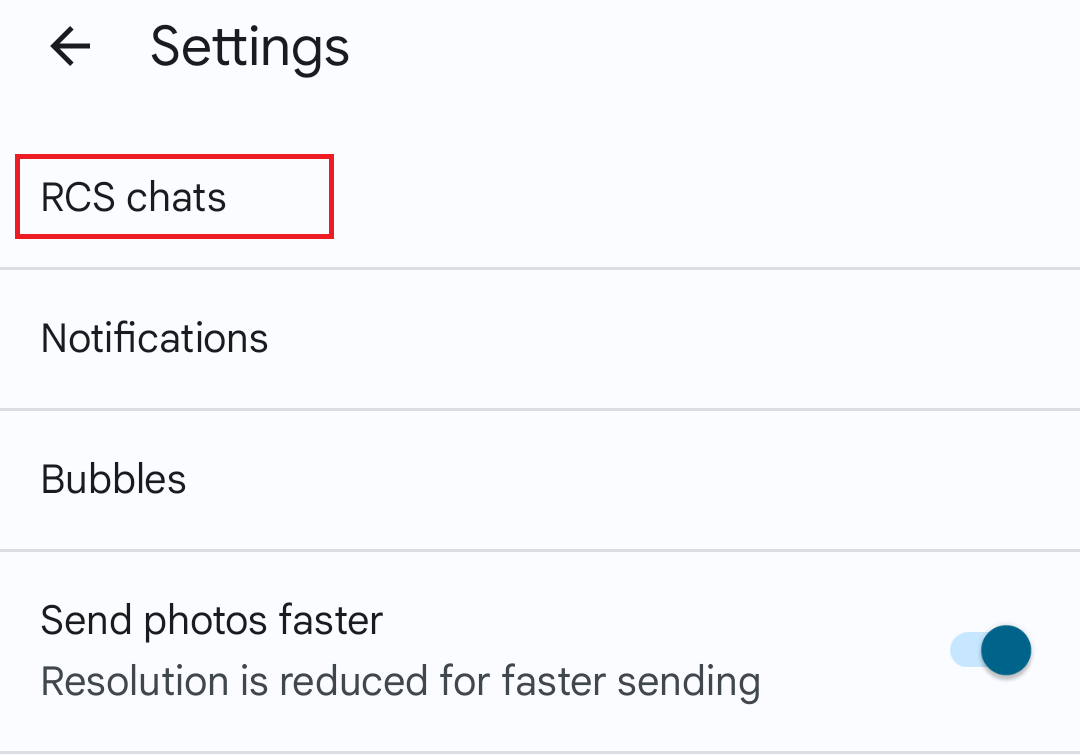
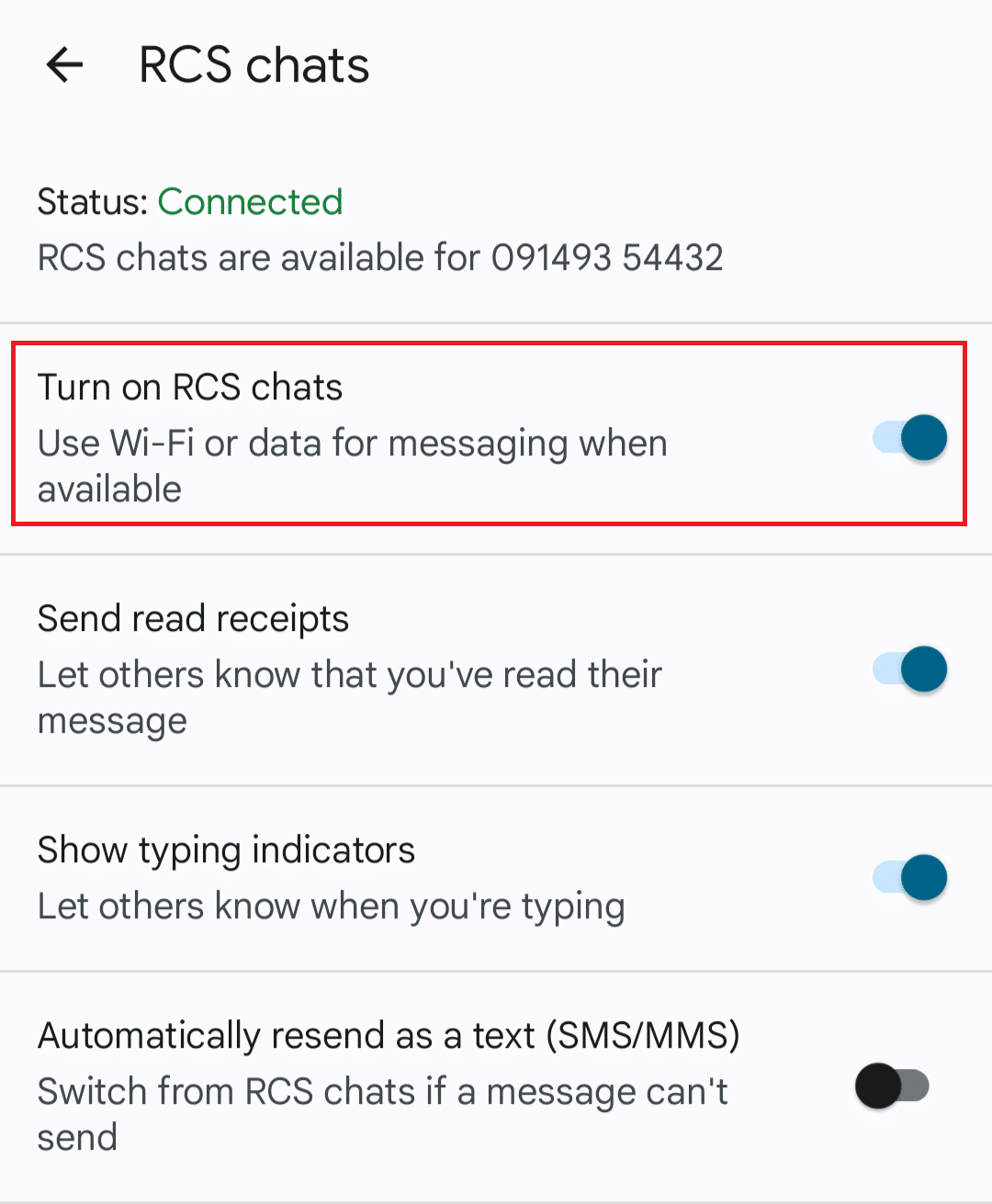
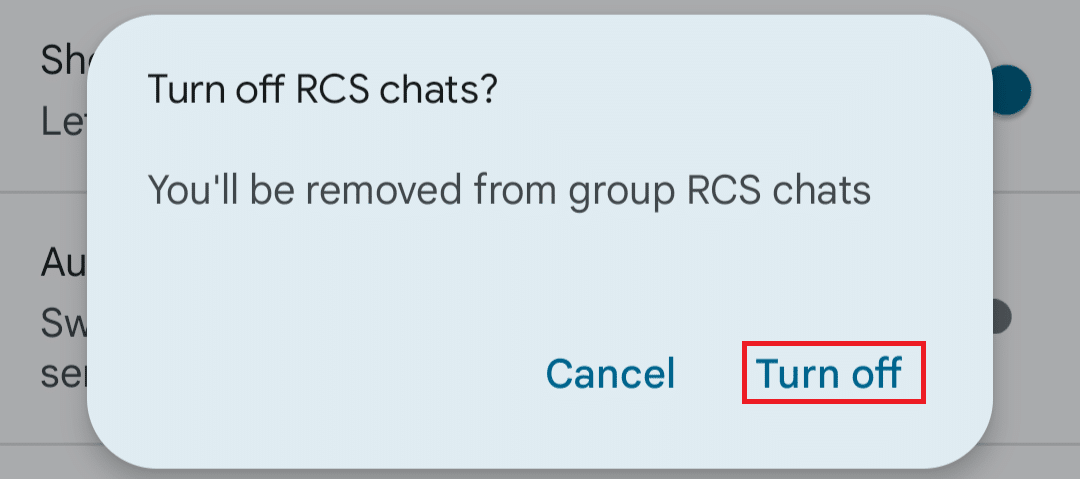
Once you have turned off the RCS chats feature, end-to-end encryption will be turned off, and you will no longer see the lock symbol on Android Text Message.
RCS chat is enabled by default on Google Messages, and when you send a text message, you might see a lock icon on the confirmation.
However, you might only see this lock symbol on some of the text messages within the inbox. What does this mean? If you are not seeing the lock symbol on a particular text message on your Android device, then it means-
If end-to-end encryption has been enabled between you and the other person on Google Messages, then you will notice the following things-
If you see the above things when conversing with the person, then that means end-to-end encryption is enabled on Google Messages between you and the other person.
We hope now it’s clear to you what the lock symbol on Android text messages means.
If you want to remove this lock symbol, then we have discussed the steps for that in the article above; you can follow the steps to remove the lock symbol.
Read More

Lock Symbol On Android Text Message: Meaning, How To Get It Off? – techworm.net