
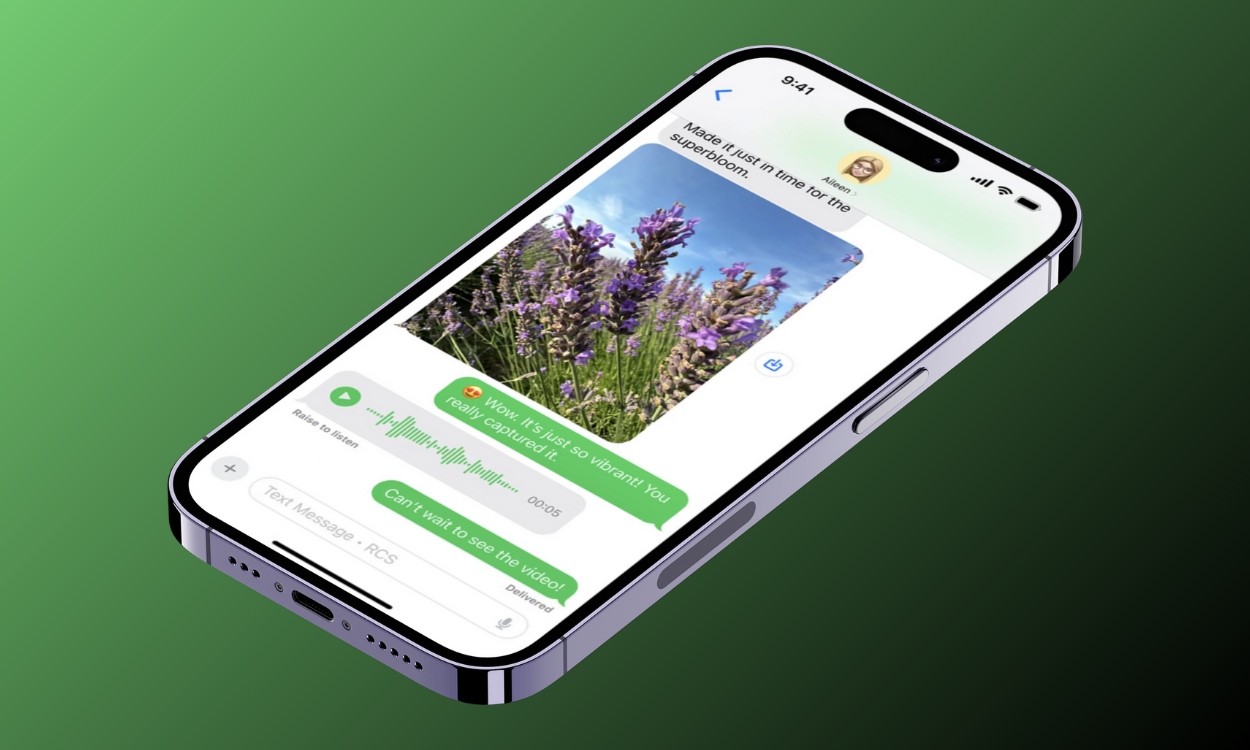

Apple finally brought RCS (Rich Communications Service) messaging to all iPhones with the iOS 18 update released in 2024. This handy feature allows iPhone users to text their friends with an Android more seamlessly than the older SMS standard. So if you want to learn how to send RCS message on iPhone, here’s everything you need to know about it.
RCS, or Rich Communication Services, is a modern messaging standard that was initially adopted by Google Messages and then by Samsung. It ditches cellular network standards like SMS and MMS and works on Wi-Fi and mobile data instead.
Text messaging via RCS on iPhones works just like on Android. There’s features like message reactions, read receipts, and high-quality media sharing, finally bridging the texting gap between iOS and Android. On the more technical side of things, Apple currently employs an older version of RCS, even on iOS 26 but there plans to feature the latest version 3.0 with the iOS 26.1 update.
While the RCS has been widely rolled out globally across most carriers, if you are an iPhone user in the US, Canada, or Europe, then these are some carriers, according to Apple, that support RCS text messages on iPhone.
You can check out this Apple Support page to learn whether your wireless carrier supports sending text messages through RCS in your current region.
If your iPhone is running iOS 18 or above, then you will need to enable RCS on your iPhone inside the Settings app. But the process is quite simple, and let me show you how to activate RCS messaging on iPhone.
Now, open the Messages app and try sending RCS messages to a contact or reacting to existing messages. If RCS doesn’t work, toggle it off and on again, restart your iPhone, or turn on and off Airplane Mode.
It might be not apparant for many iPhone users, what exactly is the difference between sending a text message through RCS, SMS or iMessages. Especially when texting an Android user as the bubbles will appear green nonetheless so I have summed up all the differences in one table.
When you send an RCS message from your iPhone to a friend with an Android, the message sent will show a RCS tag. The chat bubble will show up as green colored because Apple wouldn’t want to stop forcing Android users to switch to iMessage. The Green and Blue bubble war is very much alive and here to stay; it’s just been eased a little. Besides, there’s support for group chats.
The RCS text message will show a read receiept when the other person has seen the text, and you both can share high quality images, videos, GIFs and more. The only caveat here is that, while RCS messaging on Android supports end to end encryption, RCS on iPhone does not. That’s because Apple is using Universal Profile which is a basic version of RCS. But the upcoming iOS 26 update could change that.
In our experience, RCS on iPhone is still feels beta-esque. From read receipts to high-quality media, and file transfers, everything seems to be working as intended. When you try to message a contact, the placeholder text in the text box will say “RCS message” and not “SMS.”
That’s how you know RCS is available. There were instances where read receipts ceased to work in group chats. There also seems to be a known issue with message reactions, as they sometimes work one way, from Google’s side and not on Apple’s.
If RCS is not working for you on iOS 18 for some reason or the other, then here are some quick fixes to get it back on track:
These is pretty much everything necessary that you needed to know about text messaging through RCS on your iPhone. While it doesn’t solve the green bubble/blue bubble debate, it is a step to brings the 2 operating system closer. So if you have used RCS messaging on iPhone then share us your experience and if we haven’t addressed any issue then let us know in the comments below.
Any iPhone model running on iOS 18 version at least will get support for RCS messaging. That means older models like the iPhone 8, 8 Plus and X which have not recieved the update don’t support RCS.
The RCS messaging option is available in your iPhone settings. Simply go to Settings > Apps > Messages > RCS Messaging. Here, turn on the toggle for RCS Messaging and start using the feature.
It could be due to a number of reasons why RCS does not work when texting an Android user. Common issues include, not having RCS enabled, you have an active internet connection, running the latest version of iOS and your carrier supports it.
No. RCS messaging on iPhone is not end-to-end supported since Apple is using a Universal Profile which is not as secure as Android’s Google Messages which offers the same feature.
If for some reason, you are not able to use the RCS feature on your iPhone then the service will fall back to regular SMS feature which could be charged depending on your cellular plan.
Abubakar covers Tech at Beebom, with his passion for technology tracing back to 2011 when he received a Dell Inspiron 5100 as a gift. He’s also a passionate advocate for the right-to-repair movement, believing in empowering users to maintain and extend the life of their devices. Outside the tech world, he enjoys watching anime and exploring his newfound enthusiasm for Japanese cars. In his free time, you’ll often find him immersed in Genshin Impact or researching his next gadget purchase. Before joining Beebom, he contributed to leading publications like Android Police, How-To Geek, and Fossbytes.
Trending Stories in
#iPhone
01
02
03
04
05