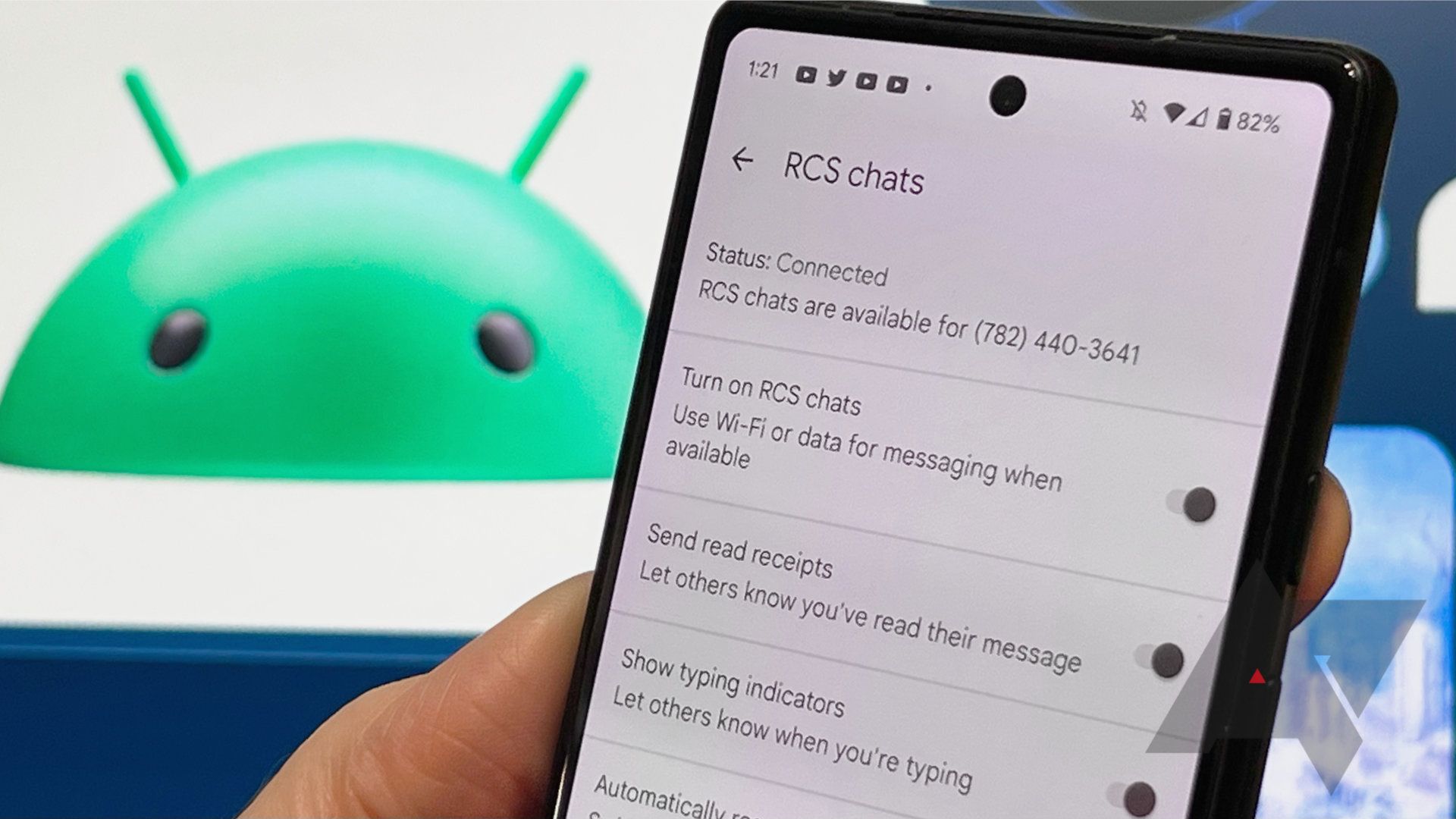
While all cell phones started with the short message service (SMS), which offers quick text communication, Apple has been the leader in providing a more interactive texting experience. If you aren’t sure what RCS messaging is, you’re probably familiar with it and aren’t aware of the differences. If you have an iPhone, you’re used to using Apple’s iMessage, which is similar to RCS in that it offers many features that traditional text doesn’t. However, Android users are probably familiar with RCS chat through third-party messaging apps.
Understanding RCS messaging isn’t difficult when you realize what it includes. Since it’s generally the more dynamic and secure way to communicate via text compared to SMS and multimedia messaging service (MMS), you’ll want to know how to take advantage of it going forward.
RCS stands for rich communication services. RCS messaging is a communication protocol developed by the GSM Association (GSMA) that’s been around since 2007 and was intended to replace SMS and MMS messages. Still, it hasn’t caught on until recent years. RCS allows you to have a more complex messaging experience by including options like reactions to text messages, in-line video capabilities, and more.
Android users haven’t had access to RCS on Android devices unless they downloaded a messaging service that provides it or if they have a Google Pixel phone like the Google Pixel 8. In 2024, Apple will add rich communication services (RCS) support to its iMessage, which will be a game-changer if one iPhone user is communicating with someone who doesn’t have iMessage. With Apple adopting RCS, it might change Android and iOS intercommunication for good.
You might be more familiar with RCS messaging than you think because it’s a modern chat experience like what’s available on other chatting services outside your Android messaging app.
RCS chat features are similar to iMessage. For instance, RCS chat provides read receipts and typing indicators. These features have been on iMessage for years. Other features RCS has in common with iMessage include:
For instance, you may be aware that some videos are too large to share with someone via MMS using your Android’s standard messaging. With RCS, you can share such a file in the chat.
Messaging apps with features similar to RCS chat include WhatsApp, iMessage, Facebook Messenger, the Google Messages app, and Signal, though many other apps feature RCS messaging.
To understand the difference between RCS and SMS, you must look at the functionality of RCS. RCS uses a Wi-Fi connection, LTE, or 5G to transmit data (rather than traditional text messages sent only via a cellular data network, though iMessages can be sent over Wi-Fi). The transmission of RCS via these channels makes it possible to send and receive more complex messages, including messages without character limits, read receipts, typing indicators, in-depth group messaging, and high-quality videos and images.
Some RCS services also allow for end-to-end encryption, which is unavailable for SMS and MMS messages.
Whether you have a Samsung phone like the Samsung Galaxy S24 or an iPhone 15 Pro Max, you may not know whether your phone supports the RCS messaging protocol.
Most Android phones include RCS messaging through Google’s Messages app. If you have a Google Pixel phone, this is your default Messages app, and you don’t need to turn anything on. If you have a Samsung or another phone, your phone doesn’t have RCS turned on by default.
You don’t have RCS chat by default if you have an iPhone. iMessage is the standard app which doesn’t yet support RCS. But, RCS chat is expected to hit Apple’s iOS 18, which doesn’t have an official release date. It should be coming in 2024 since Apple announced that it intends to include RCS on iMessage.
To enable RCS chat on your phone, download an RCS chat app. If you have an iPhone but don’t want to wait for RCS to hit iOS 18, download an RCS chat app called Beeper or use other apps with similar features, like WhatsApp.
Android users can download the Google Messages app from the Play Store. Google’s Messages is one of the leading RCS chat apps and offers secure end-to-end encryption. The app prompts you to turn on RCS if it isn’t already, but you can also check that it’s on in the settings.
You can also turn it on in your Samsung Messages app’s settings. To do this on a Galaxy phone, tap the three-dot icon in your Messages app, then tap Chat settings. This brings up a pop-up to turn on RCS chats from Google. To turn it on, tap Agree, and your Samsung Messages app defaults to RCS messaging unless it can’t deliver, and then it sends an SMS or MMS.
Because the GSM Association intended RCS messaging to replace SMS and MMS messaging, it seems reasonable that it might be on its way to taking over texting as the world knows it. However, it may be a while until this happens. But because you can integrate RCS into your messaging experience and essentially upgrade texting capabilities, the sooner you start using it, the better you’ll be able to communicate with high-quality media and other fun RCS features.
The Pixel proved that daily experience matters more than numbers
Pressing the reset button reduced the visual clutter
HeliBoard has won me over
Simply tell them to stop
4TB for just $230
Blurred wallpaper comes to AOD

What is RCS chat? The text-based messaging protocol explained – Android Police