AWS Blogs
As of 2023, short messaging service (SMS) has a global reach of approximately 5 billion unique users. With 80% of adults using text messaging for communication, it is an essential tool for reaching a wide audience. Amazon Connect two-way short messaging service (SMS) capabilities enabling you to resolve customer issues via text messaging. It offers a convenient channel for customers while enabling you to deliver personalized experiences at a lower cost.
Most consumers are already familiar with SMS messaging for personal communications. Customers can easily initiate conversations or respond to SMS notifications or appointment reminders to get help from an agent.
In this blog post, we will demonstrate how to use SMS capabilities with your Amazon Connect contact center. This solution enables your customers to respond to your SMS campaigns. Your agents can receive and respond to customers’ SMS messages from the same agent workspace they use for other channels like voice, chat, and tasks.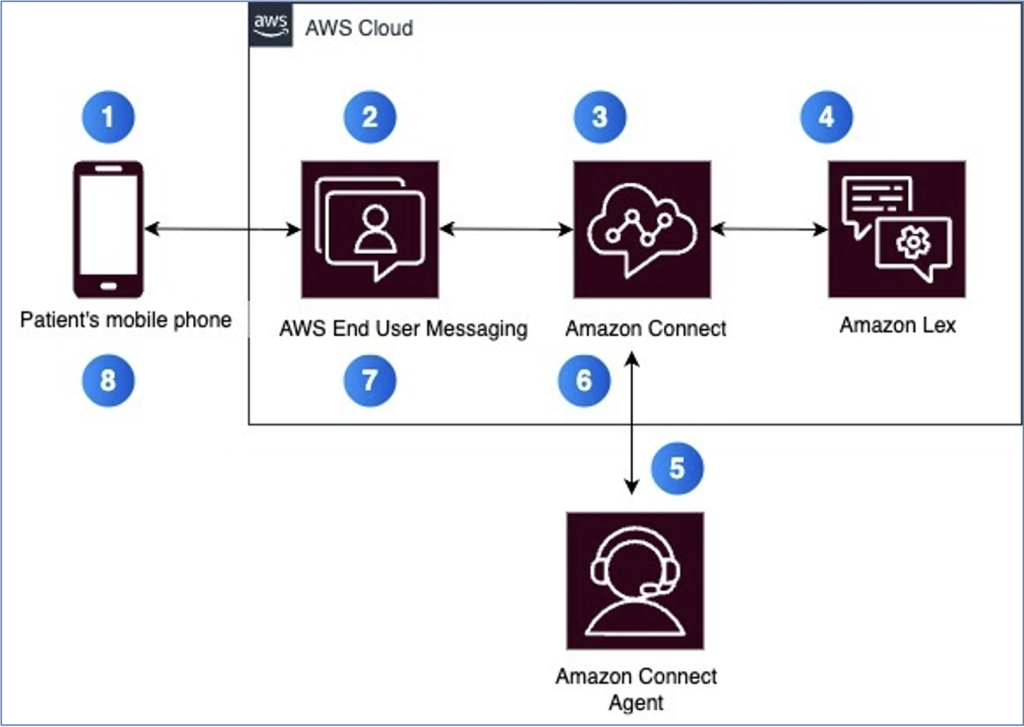 Figure 1: Solution architecture
For this walkthrough, you should have the following prerequisites:
This blog talks about a patient contacting the Health Clinic to schedule an appointment. Patient sends an SMS message to the clinic’s number. The patient interacts initially with a bot and then gets transferred to a live agent for additional help.
Step 1: Create Amazon Lex Bot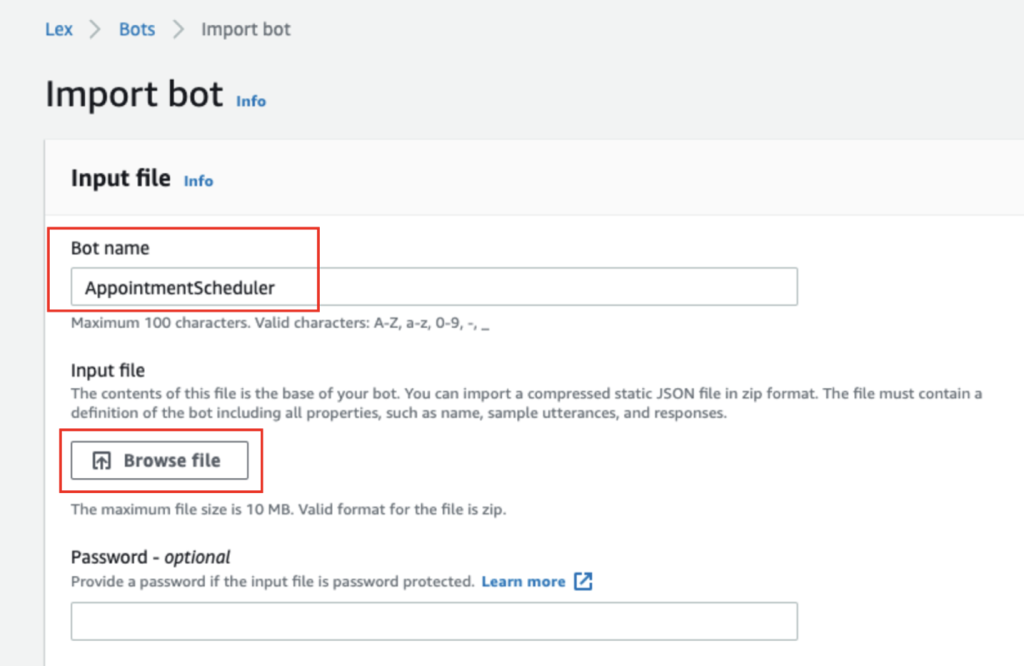 Figure 2: Importing Amazon Lex V2 bot
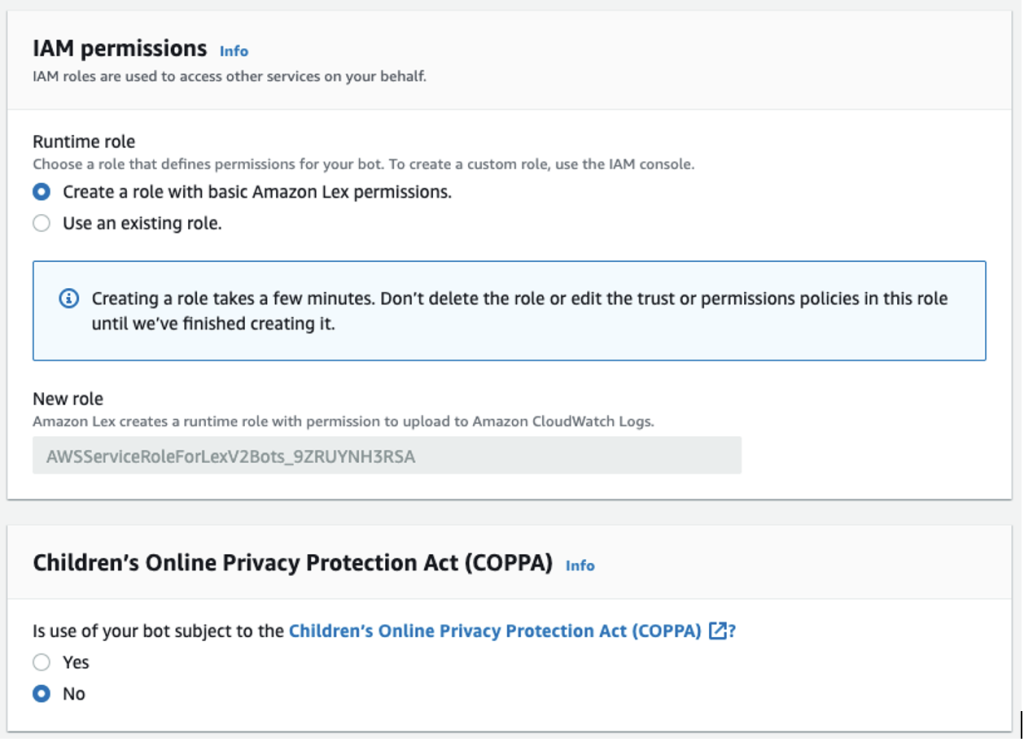 Figure 3: Importing Amazon Lex V2 bot – IAM permissions and COPPA
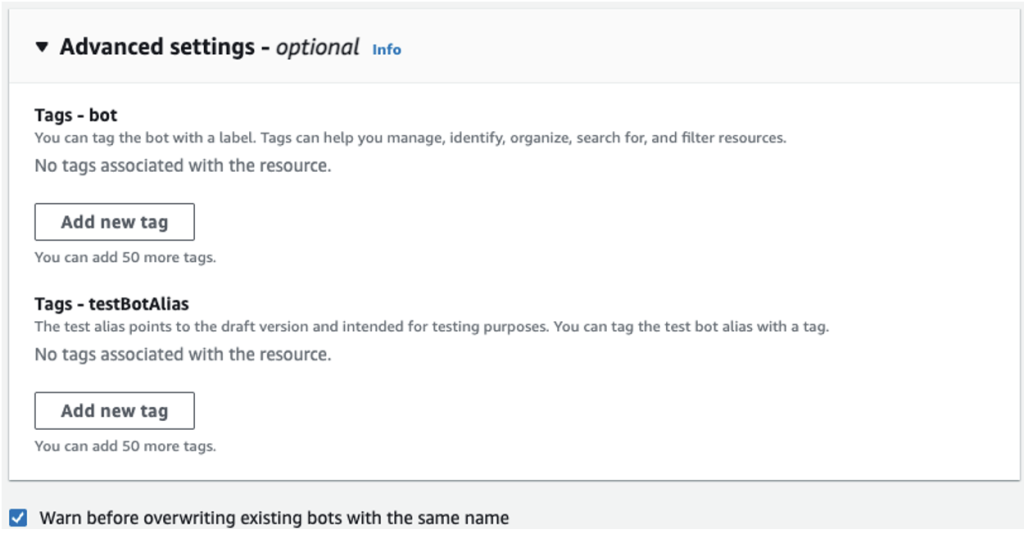 Figure 4: Importing Amazon Lex V2 bot – Advanced settings
 Step 2: Build Amazon Lex Bot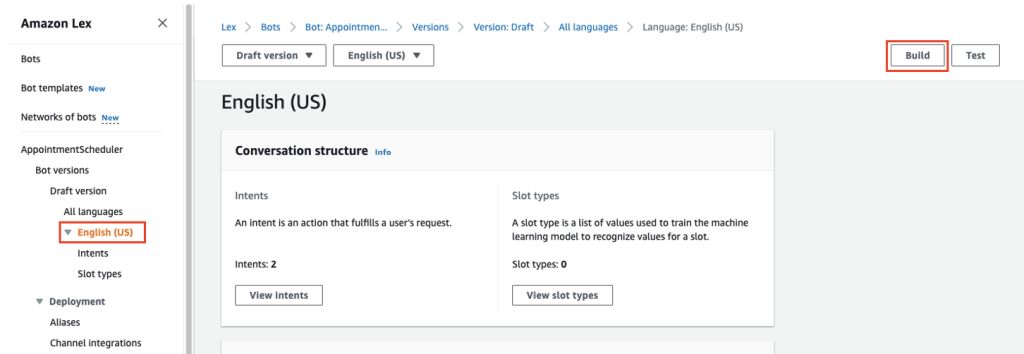
Figure 5: Building Amazon Lex V2 bot
Step 3: Add Amazon Lex Bot to the connect instance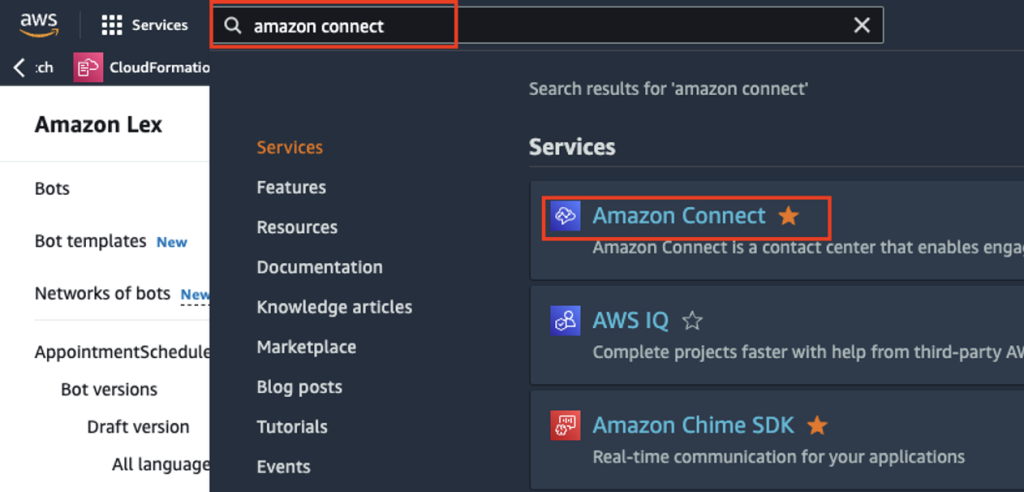 Figure 6: Searching and selecting Amazon Connect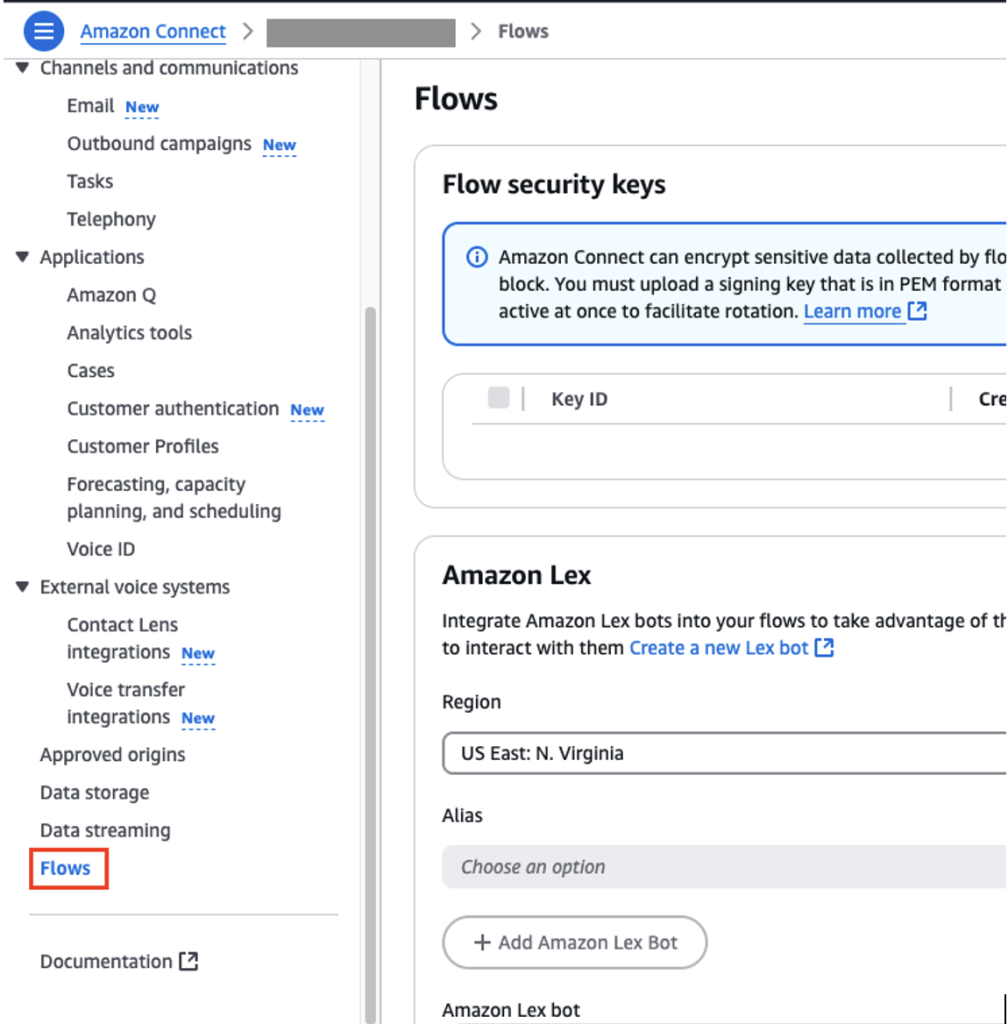
Figure 7: Flows configuration for Amazon Connect instance
Note: Create a new alias for production and do not use TestBotAlias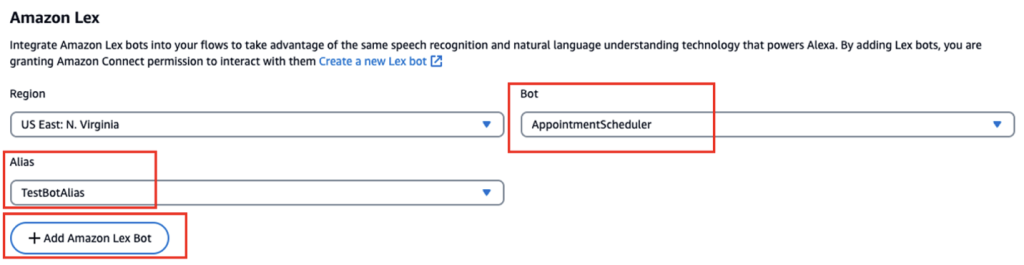
Figure 8: Adding Amazon Lex bot to Amazon Connect instance
Step 4: Create Amazon Connect Flow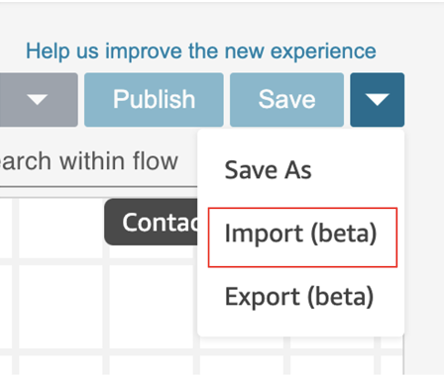
Figure 9: Creating Connect Flow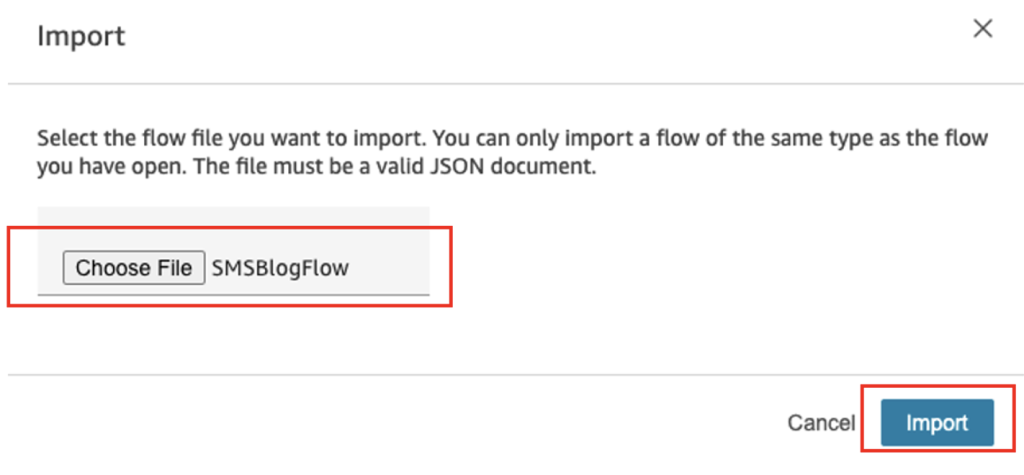
Figure 10: Importing the Connect Flow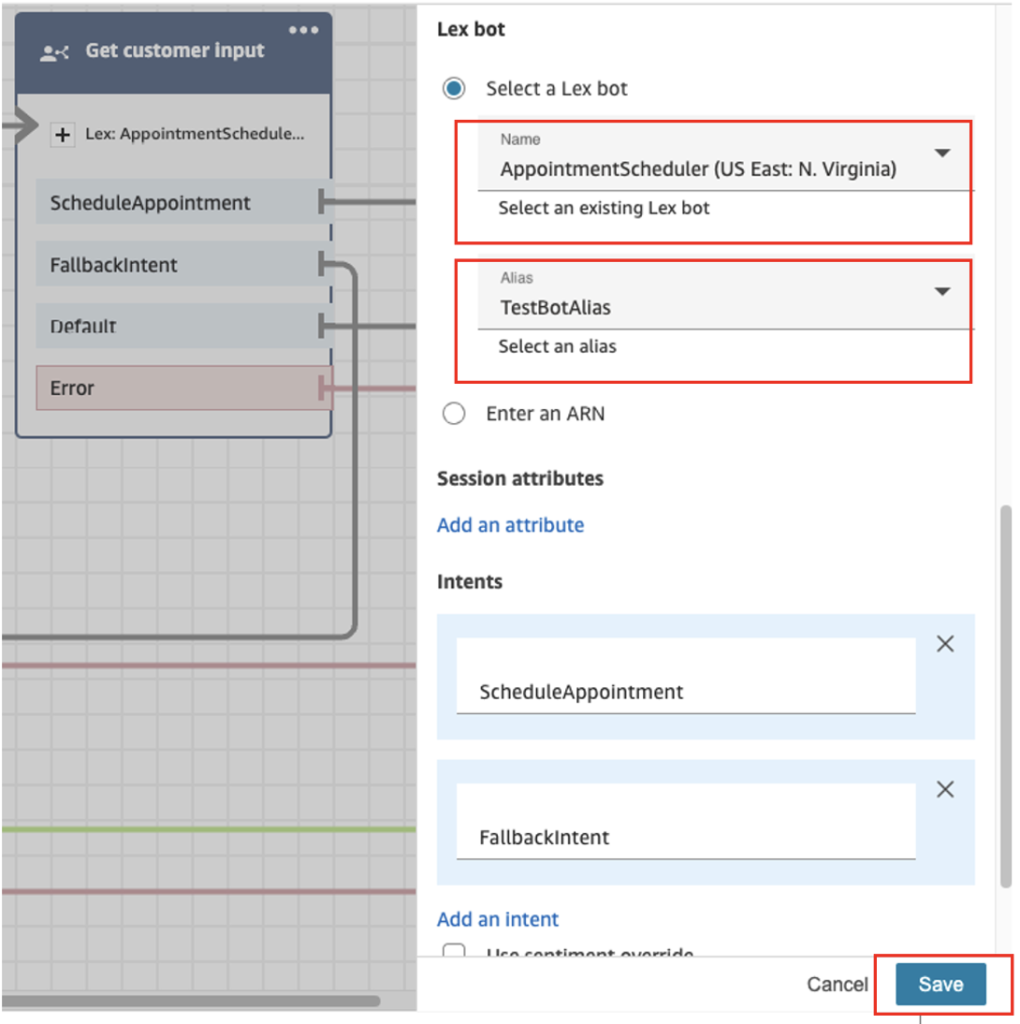
Figure 11: Modifying Get customer input block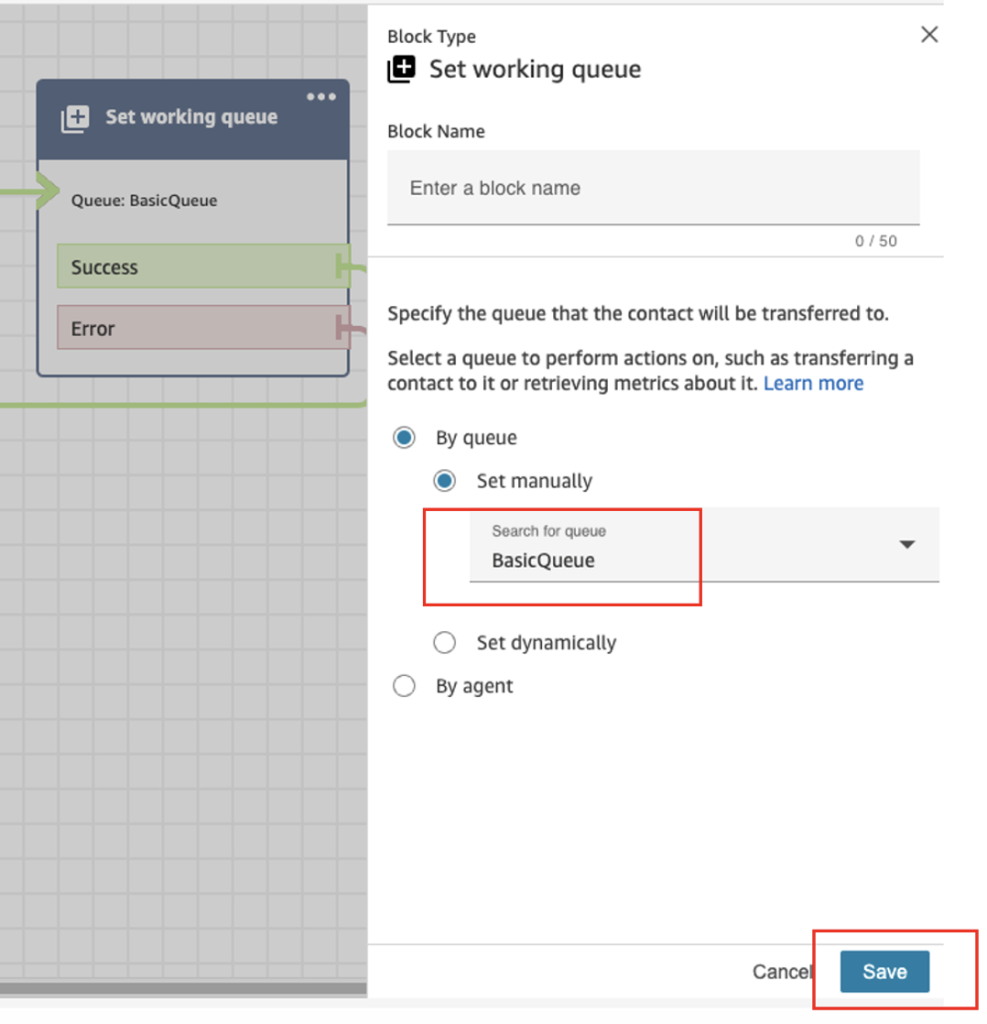
Figure 12: Modifying Set working queue block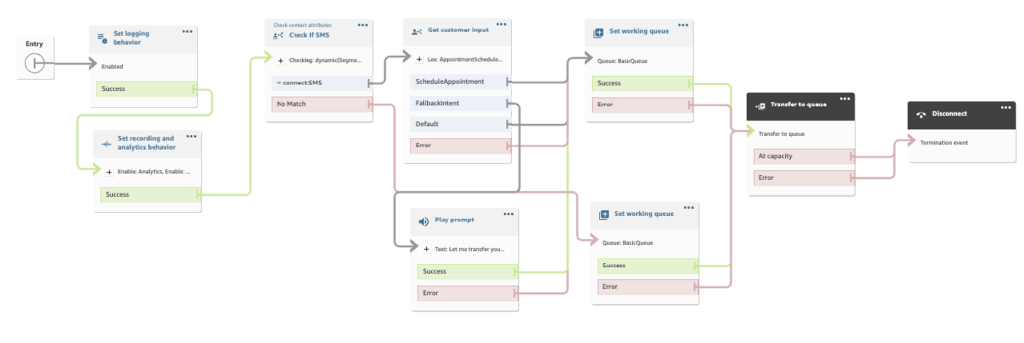
Step 5: Associate Amazon Connect flow to an SMS phone number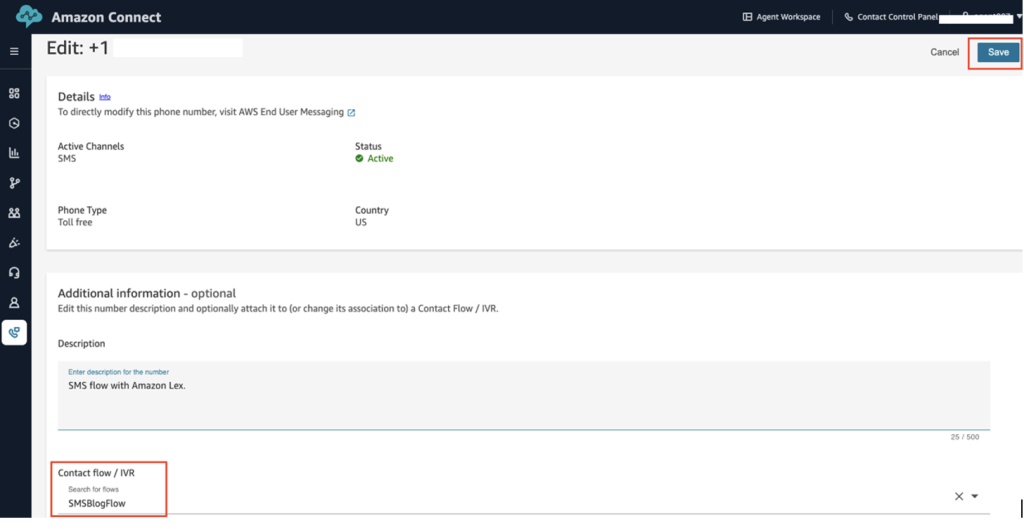 Figure 13: Associating Connect Flow with SMS phone number
Congratulations! You’ve successfully added SMS capabilities to your Amazon Connect Contact Center.
Following are screenshots of a patient interacting from their mobile phone using SMS.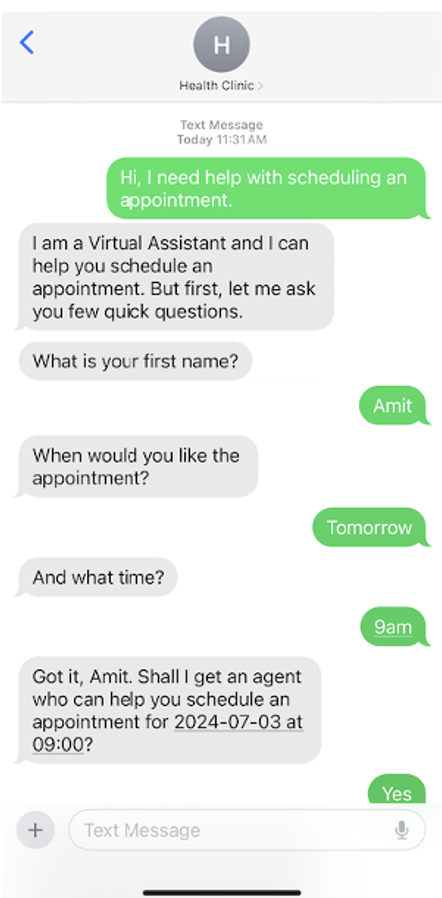
Figure 14: Patient interaction with Amazon Lex bot via SMS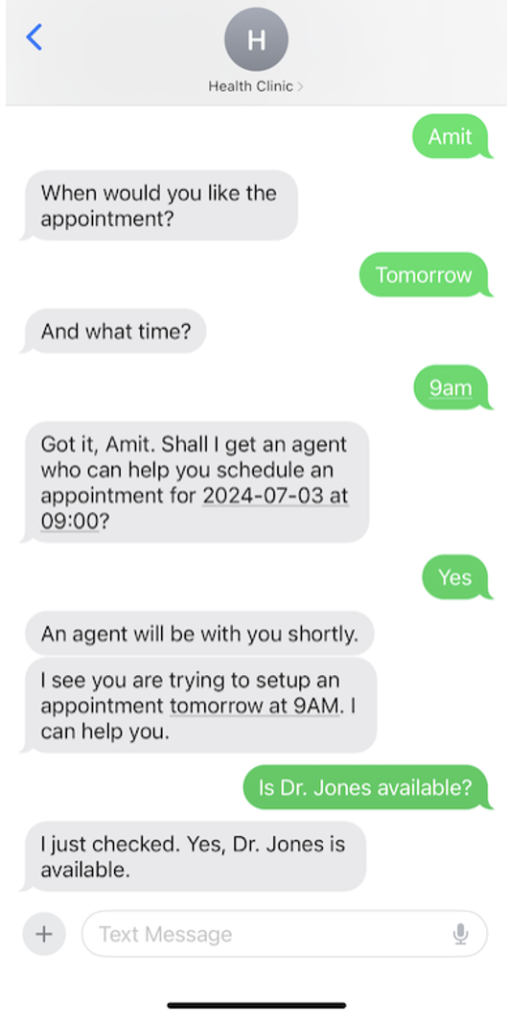
Figure 15: Patient’s interaction with Amazon Lex bot and live agent via SMS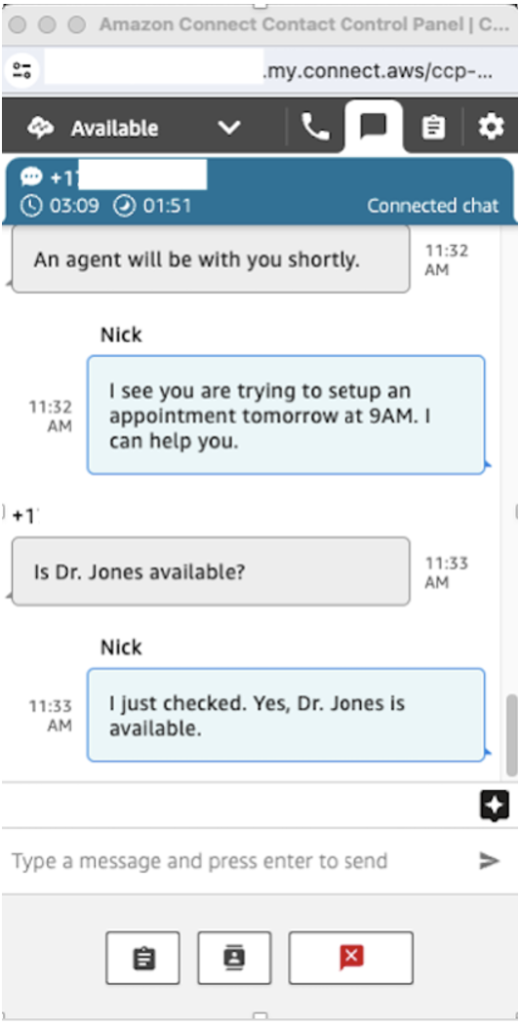
Figure 16: Agent CCP showing patient interaction with a live agent via SMS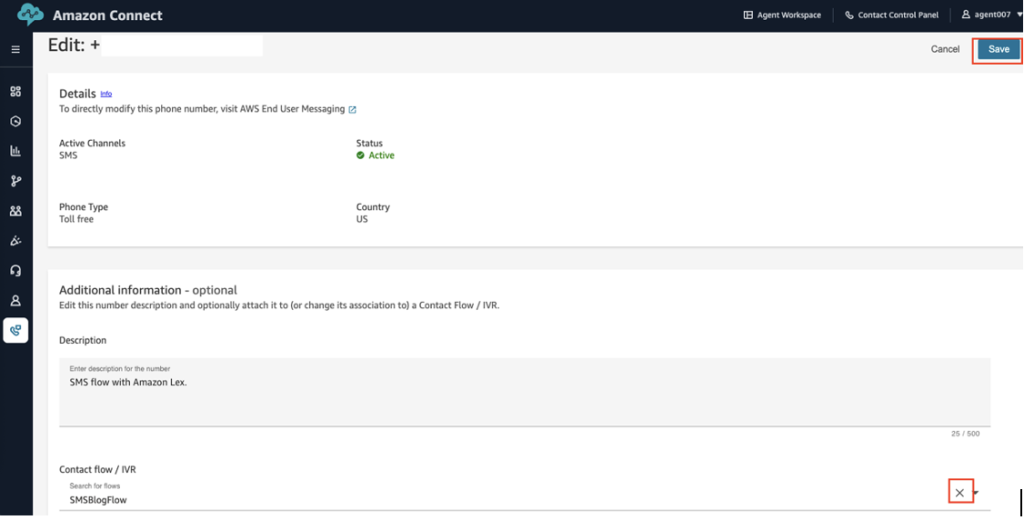
In this blog post, we demonstrated how to enhance your Amazon Connect contact center with SMS messaging capabilities. This solution simplifies customer engagement by enabling direct SMS responses, creating a more efficient and convenient experience for your customers.
As businesses continue to prioritize customer experience, adding support for SMS messaging can drive customer satisfaction and reduce operational costs. Get started with setting up SMS messaging for your Amazon Connect Contact Center.
If you require assistance in setting up this solution, AWS Professional Services is available to provide guidance and support. Additionally, you can seek assistance from Amazon Connect partners located worldwide, who specialize in implementing and optimizing Amazon Connect solutions.
We recommend the Amazon Connect Administrator Guide, which provides detailed information and instructions to enhance your understanding of Amazon Connect and explore more features.

Resolve customer issues via two-way SMS (text messaging) in Amazon Connect – Amazon Web Services