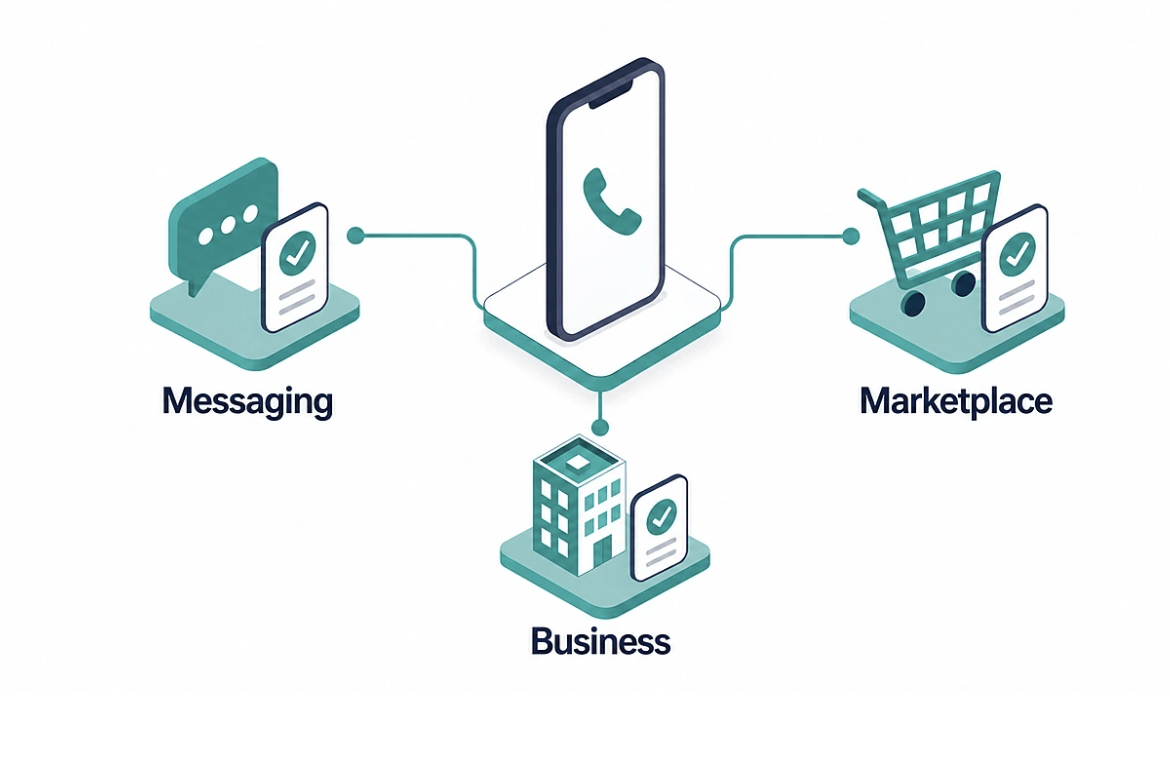
An online virtual phone number lets you receive SMS verification codes in your browser without a physical SIM. If you don’t have time for the full guide, here’s the short version: I’ve been testing virtual number providers for the better part of a year, and the best pick comes down to one thing: what you actually need the phone number to do.
If you’re after free sms online to grab a quick verification code, 7sim.net gives you instant access to temporary numbers in 50+ countries without asking you to create an account.
I’ve burned through more virtual phone numbers than I can count trying to get accounts on platforms that aggressively flag free shared numbers. Most handle low-stakes verifications just fine: forums, newsletters, throwaway profiles. But the second you want a number for a payment app or anything with strict anti-fraud rules, free shared numbers almost often get rejected. That’s when private options become essential, and I cover those further down.
First, what virtual actually means. A virtual phone number isn’t tied to a physical phone line or a specific SIM card. Instead, it lives in the cloud and routes calls and texts through the internet to whatever device you choose: your smartphone, a desktop computer, or even a landline at home.
This is the main difference from a traditional number issued by carriers like AT&T or EE. A standard phone number is physically linked to a single SIM or copper wire. A virtual number separates the number from any device, so you get flexibility that older setups can’t match.
VoIP stands for Voice over Internet Protocol. A VoIP virtual number routes your calls and messaging through the internet instead of a cellular network. Think of tools like Google Voice, Zoom Phone, or Grasshopper.
Your voice gets converted into digital data packets, sent over your internet connection, and reassembled on the other end. You can make and receive calls from any compatible device (a computer, tablet, or smartphone) as long as you’re online.
VoIP numbers let you scale without buying new SIM cards or hardware. This makes them popular with small businesses and remote teams that need multiple numbers across different locations.
Advantages:
Limitations:
Non-VoIP virtual numbers work differently. They’re backed by actual SIM cards or physical phone infrastructure, even though you access them through a digital platform. This means they pass verification checks that block VoIP numbers entirely.
When a platform like Google or a payment service checks your phone number, it can tell whether it’s VoIP or carrier-based. Non-VoIP numbers show up as legitimate mobile or landline numbers, which is why they’re trusted for stricter registrations.
Services like SV Number (sms-verification-number.com) provide a private number you rent for 20 minutes, tied to a real SIM and assigned only to you. After that window, it’s released. This makes them ideal for one-time verification where you need the platform to accept the number without raising flags.
Meanwhile, 7sim.net takes a different approach: it offers free temporary phone numbers for quick SMS verification, with the code shown right in your browser. Whether a given site accepts them depends on the site. For casual sign-ups, they work well and cost nothing.
If you just need a quick verification code for a forum or newsletter. Go with a free option like 7sim. If you’re dealing with platforms that check number authenticity (banks, crypto exchanges, government services), a private number you rent for 20 minutes from SV Number is the more secure choice. For business communication and handling calls across multiple locations, VoIP is the way to go.
I’ve tested dozens of virtual number services over the past year, and most share the same problem: they look polished on the surface, but fall apart the moment you try to receive a code. Sometimes messages never arrive, sometimes the platform you’re signing up for rejects the number outright. So before I walk you through the list, here’s what I’ve learned to check first:
With those criteria in mind, the options split into two groups: free shared providers and paid private ones.
Free shared phone numbers work for low-stakes sign-ups: forums, newsletters, apps you don’t care much about. Because these numbers are shared, several people may use them at the same time, and some platforms detect this. Still, for casual use, they’re a solid starting point.
7sim.net is the one I keep coming back to for free verification. It offers free temporary phone numbers across 50+ countries with no registration needed. You visit the site, pick a country, select a number, and wait for the code to appear on the page. In my tests, most codes arrived within 10 to 30 seconds. The interface is clean, 7sim adds new phone numbers for SMS every day, and I rarely hit a dead number. For a free service, it’s surprisingly reliable.
Online Sim PRO is worth keeping as a backup. The structure is similar: free shared numbers, no sign-up required. I’ve found the number pool overlaps with some other free services, which means certain numbers may already be flagged on popular platforms. But when 7sim is temporarily busy or doesn’t have a number for your target country, it’s a decent alternative to check.
Other free providers I’ve tried include Receive-SMS-Free.cc, SMS-Online.co, and FreePhoneNum. Honestly, the experience is hit-or-miss. Some numbers work, many don’t. Messages sometimes take minutes to show up, and the sites are often cluttered with ads that make the whole process frustrating. I wouldn’t rely on them for anything important, but they exist as options if you’re in a pinch.
If your goal is to text receive online for a one-off registration without exposing your real mobile number, 7sim.net handles that in a couple of clicks — no sign-up needed.
When you’re verifying a bank account, a crypto exchange, or any platform with strict anti-fraud rules, free shared numbers almost always get rejected. That’s where private virtual phone numbers come in. They’re assigned only to you for a short window, so the platform sees them as a real phone, not a recycled public one.
SV Number specialises in exactly this. You rent a private phone number for 20 minutes, and no one else can access it during that time. In my experience, acceptance rates on strict platforms are noticeably higher than with shared numbers. The cost starts from $1 per number, which is a small price when you need a verification to actually go through. The process is straightforward. Choose a country, pick a service, receive your code.
TextVerified and SMSActivate are also in this space. I’ve used both, and they work in most cases, though the experience varies. TextVerified’s number pool can feel limited during peak hours. I’ve had to retry multiple times before finding an available phone number. SMSActivate offers a wider range of countries, but the interface feels dated and some numbers are priced higher than they should be for what you get.
Hushed and Burner take a different approach: they provide longer-term private phone numbers via a mobile app. These are more suited for people who want a second phone line for privacy rather than one-time SMS verification. The subscription model doesn’t make sense if you just need a quick code, but if you want to keep a separate phone number for online sign-ups over weeks or months, they’re an option worth considering. Just keep in mind that some still struggle with strict platform checks since they rely on VoIP infrastructure underneath.
For free virtual numbers, 7sim is the clear winner in terms of speed and reliability. For anything that demands a higher trust score, SV Number has been the most consistent in my tests. The numbers actually pass where others fail. The middle-ground providers like TextVerified and SMSActivate work too, but I’ve run into enough hiccups with availability and pricing that I tend to skip them now. If you want my simple two-tier setup: start with 7sim for everyday use, and switch to SV Number when the stakes are higher.
Why platforms ban virtual numbers in the first place
Something I learned the hard way: platforms don’t ban virtual numbers because they hate privacy. They do it to reduce fraud, spam, and mass account creation. When a service like Google, Instagram, or a government portal sees hundreds of sign-ups coming from the same phone number, it flags that number as suspicious. The account either doesn’t get created, or it gets locked within days.
The key thing to understand is that most platforms run automated checks. They’re not sitting there manually reviewing your registration. They scan number databases, check carrier metadata, and cross-reference IP addresses. If your virtual phone number is on a known shared list, the system catches it.
Based on my own testing and conversations with people in this space, these are the most common triggers:
I’m not going to pretend there’s a magic trick that works every time. But there are habits that noticeably reduce your chances of getting flagged. Here’s what’s worked for me:
People try to save money by using free public numbers for everything, including sensitive accounts. Then they lose access when the platform bans the number a week later, and suddenly all their data, contacts, and connected services are gone. It’s not worth it. Spending from $1 on a private phone number from SV Number the first time would have saved them hours of recovery attempts and support tickets.
For casual, throwaway sign-ups, 7sim is perfectly fine and costs nothing. The important thing is knowing when to switch to a more secure option. If losing the account would cause real problems, don’t gamble with a public number. Make the right choice from the start.
Personal verification is one thing. Running a company is a completely different game. When I started helping small businesses sort out their communications setup, I quickly realized most were overpaying for features they never used, or cobbling together free tools that couldn’t scale past five employees.
A solid business virtual phone solution needs to handle several things at once:
The thing that matters here is integration. If your sales team has to juggle three different apps to make a call, check voicemail, and send a message, productivity drops fast. I’ve seen it happen, and fixing it usually means switching to a purpose-built system rather than patching together random tools.
RingCentral is the enterprise-grade option that keeps coming up in every industry review. It offers voice, video conferencing, team messaging, and a powerful API for custom integrations. The dashboard is feature-rich but can feel overwhelming for smaller teams. Pricing starts around $20 per user per month, which adds up quickly if you’ve got 15 or 20 employees. That said, for companies that need advanced call routing and CRM integration, it’s hard to beat.
Grasshopper targets small businesses and solo professionals who want a separate business line without the complexity. It adds a business number to your existing cell phone, so you don’t need a second device. Incoming calls show a distinct caller ID, and you get custom greetings, voicemail, and call forwarding out of the box. Plans start at around $14 per month. The limitation? It’s US and Canada only, so if you need international numbers, look elsewhere.
OpenPhone has become popular with startups and remote-first teams over the past two years. The interface is clean, setup takes about five minutes, and it supports unlimited calling and texting in the US and Canada on most plans. What I like is the shared inbox feature. Your whole team can see and respond to messages from the same business line. Pricing starts at $15 per user per month.
Google Voice is the free option for businesses already embedded in the Google Workspace ecosystem. It provides a basic business line with call forwarding, voicemail, and integration with Google Meet and Calendar. The catch: it’s fairly limited in terms of routing and doesn’t offer much for teams that need advanced features like a receptionist or AI-powered call handling. Still, for a solo professional or a two-person operation, it’s hard to argue with free.
Zoom Phone is worth considering if your team already uses Zoom for meetings. It adds a full telephony system: calls, voicemail, SMS, auto-attendant, to the platform you’re already paying for. The pricing is competitive at around $10 per user per month, and the experience is naturally integrated if Zoom is your daily communication hub.
I always tell business owners the same thing: start with what you actually need right now, not what you think you’ll need in two years. If you’re a three-person sales team, you don’t need RingCentral’s enterprise suite. OpenPhone or Grasshopper will cover you just fine. Scale up when the demand is real, not theoretical.
A few other things worth checking before you commit:
And one more thing: don’t forget about compliance. If you’re in healthcare, finance, or any regulated industry, make sure your provider meets the necessary standards for data handling and call recording. It’s not the exciting part of choosing a system, but it can save you from serious headaches later.
I don’t recommend services I haven’t personally used. That might sound obvious, but a lot of online content about virtual phone providers is written by people who’ve never signed up for any of them. They just rehash marketing copy and call it a review. I wanted to do things differently.
Here’s my actual testing process, step by step:
After testing dozens of providers, I’ve settled on five core metrics that determine whether a service is actually worth your time:
You’ll notice I come back to a few names repeatedly in this guide: particularly 7sim.net for free verification and SV Number for private, high-trust scenarios. That’s not because they’re paying for placement. It’s because after months of hands-on testing, they consistently deliver better results than the alternatives.
7sim, for example, adds new phone numbers for SMS every day, and they work on most low-security platforms. The codes arrive fast, the interface doesn’t throw ads in your face, and you don’t have to jump through hoops to get started. For a free service, the quality is genuinely impressive.
SV Number earns its spot because a private number rented for 20 minutes is a different beast entirely. In my tests, it passed verification on platforms that rejected the free providers I tried. When you’re dealing with crypto exchanges or other strict platforms, that difference matters. The 20-minute window is tight, but for one-time verification it’s exactly what you need.
Other providers I mention, OpenPhone, Grasshopper, RingCentral, are included because they serve different needs (business communications, team management, conferencing) and have proven themselves through widespread adoption and consistent performance over time.
I think it’s worth being upfront about something: the virtual phone industry is full of hype. Providers promise 100% delivery rates, instant activation, and compatibility with every platform on the planet. In practice, no provider delivers on all of that. Some come close, some fall apart under scrutiny, and most land somewhere in the middle.
My goal with this guide is to give you an honest, experience-based perspective, not a sales pitch. When a provider has limitations, I say so. When a free option works just as well as a paid one for a specific use case, I tell you to save your money. And when something changes in the industry, a provider goes downhill, a new player enters the market with genuinely useful features. I’ll update this content accordingly.
If you want to dig deeper into any provider or test something I haven’t covered, I’d encourage you to use the same framework I laid out above. Test it yourself, measure the results, and make decisions based on what actually works, not what looks good on a landing page.
What is a virtual phone number and how does it work?
A virtual phone number is a number that exists in the cloud rather than on a physical phone line. When someone calls or texts your virtual phone number, the signal routes through the internet to whatever device you’ve configured: a smartphone, a laptop, or even a landline at home.
Your provider assigns the virtual phone number from their pool. All incoming calls and messages pass through their servers to your chosen destination. There’s no second SIM, no extra hardware, and no complicated setup. Pick a virtual phone number, tell it where to forward, and you’re receiving communications within minutes.
Can I use a free virtual phone number for account registration?
For low-risk sign-ups: forums, newsletters, apps, a free virtual phone number works well. Providers like 7sim.net offer virtual phone numbers across 200+ countries with no sign-up required. In most cases, the verification code arrives within seconds.
High-security platforms run deeper checks on every phone number submitted during registration. Banks, crypto exchanges, and government portals can detect that a virtual phone number comes from a public pool and reject it. For those cases, a private virtual phone number from SV Number, backed by a real SIM, is the better choice.
Is a virtual phone number the same as a VoIP number?
Not exactly. VoIP is one type of virtual phone technology, but not every virtual phone number uses VoIP. A VoIP phone routes calls through the internet using voice-over-IP protocols. These work well for business communication and team collaboration, but some platforms detect the number type and flag it.
A non-VoIP virtual phone number is backed by real carrier infrastructure, an actual SIM card. It appears as a regular phone number in carrier databases, which gives it a significantly higher trust score. If you need a virtual phone number that passes strict platform checks, non-VoIP is the route to take.
Are virtual phone numbers legal?
Virtual phone numbers are completely legal in the United States, the United Kingdom, Canada, and most other countries. Millions of people and businesses rely on virtual phone numbers every day for remote work, privacy protection, and professional communication.
The legal line is straightforward: using a virtual phone number to protect your privacy is perfectly fine. Using one to commit fraud or create fake accounts at scale violates terms of service and potentially the law.
How long does a virtual phone number stay active?
It depends on the provider and the type. A free shared virtual phone number stays active as long as the provider maintains it: days, weeks, or sometimes just hours before it gets rotated or blocked by platforms.
A private virtual phone number from SV Number stays active for 20 minutes. That’s enough time to receive a verification code and complete your registration. After the window closes, the virtual phone number is released back into the pool.
For business use, a virtual phone number from providers like OpenPhone or Grasshopper remains active as long as your subscription is current. These are long-term phone lines for ongoing communication, not one-time verification.
Can I make and receive phone calls on a virtual phone number?
Most VoIP-based virtual phone numbers support both incoming and outgoing phone calls along with text messaging. You can make calls from your computer, smartphone, or tablet through the provider’s app or web interface.
Free shared virtual phone numbers typically only support incoming SMS. They’re designed for quick verification, not voice conversations. Premium virtual phone number providers usually include calling features, though international calls may cost extra per minute.
Why do platforms reject my virtual phone number?
Rejection comes down to fraud detection. When you enter a virtual phone number during registration, the platform checks carrier metadata. If it detects a VoIP carrier or a known virtual phone number service, it blocks the sign-up automatically.
Public shared numbers get flagged fastest because anti-fraud databases already list them. Banking apps, crypto exchanges, and government portals are the strictest. They reject most virtual phone numbers on sight.
The solution: use a non-VoIP private virtual phone number. It carries real carrier data, so it passes the metadata check that blocks standard virtual phone numbers from going through.
Is a virtual phone number safe for banking?
A private virtual phone number, assigned exclusively to you for a short window, is generally safe for banking platforms. No one else can access messages sent to your virtual phone number during that session. The code arrives, you enter it, and the connection is established.
A free public virtual phone number is riskier. Since the number is shared among multiple users, others could potentially see codes sent to that same line. For banking and financial accounts, always choose a private virtual phone number over a free shared option. It’s a small price for real peace of mind.
Can a business replace its traditional phone system with virtual phone numbers?
Most small businesses should consider it. A virtual phone number system costs a fraction of traditional phone infrastructure. Instead of running cables and buying desk phones, you route calls to your team’s existing devices through a single app.
Business virtual phone number providers: RingCentral, OpenPhone, Grasshopper, include auto-attendants, call routing, voicemail transcription, and team dashboards. You can assign multiple virtual phone numbers for different departments without any physical hardware.
Scaling is easy. Adding or removing a virtual phone number takes seconds. Going from two employees to twenty doesn’t require rewiring your office, you just add more users to the system.
How do I pick the best virtual phone number provider?
Match the provider to your use case. For free SMS verification, 7sim.net offers virtual phone numbers in 200+ countries with no registration required. For high-trust private verification, SV Number provides dedicated virtual phone numbers backed by real SIM cards. For business communications, compare providers on call quality, features, and pricing.
Test the virtual phone number yourself before committing to any plan. Most paid providers offer trial periods or pay-as-you-go pricing. A provider’s marketing page can promise the world, but the only real proof is whether the virtual phone number actually works on the platforms you need.
Do virtual phone numbers work internationally?
Yes. And that’s one of the strongest reasons to go virtual. You can get a virtual phone number from the US, UK, Canada, or dozens of other countries regardless of where you are. A virtual phone number lets you receive codes and calls from international services without a local SIM card.
Coverage varies between providers. Some virtual phone number services cover 200+ countries while others focus on major markets like the United States and the United Kingdom. Always verify that your target country is available before purchasing.
What happens when a virtual phone number gets blocked?
If a platform blocks your virtual phone number, there’s typically no way to reverse the decision. The virtual phone number has been flagged, and that flag rarely gets lifted. Your best option is to get a different virtual phone number from a fresh provider or pool.
This happens most with free shared virtual phone numbers. Multiple users cycling through the same digits means platforms accumulate negative signals. Once the threshold is hit, every new registration attempt gets rejected.
For accounts you can’t afford to lose, use a private virtual phone number from the start. The small cost per use is insurance against losing access to important services down the road.
Can I port a virtual phone to another provider?
Business-grade virtual phone providers like RingCentral and OpenPhone typically support porting. You can transfer your virtual phone to a different carrier if you decide to switch. This is especially relevant if you’ve been using a virtual phone for your business and want to keep it going forward.
Free and temporary virtual phones can’t be ported. You’re using a shared or short-term phone from the provider’s pool. There’s nothing to take with you. If keeping the same virtual phone long-term matters, choose a provider that supports porting from the start.
Some virtual phone providers make the porting process smooth, while others require starting from scratch. Going virtual and then being locked into one provider defeats the purpose of the flexibility that virtual setups offer. Before committing to any virtual phone service, check the porting details upfront. It’s better to know than to discover later that your phone can’t move with you.
How much does a virtual phone cost?
Free virtual phones cost nothing. Providers like 7sim.net and Online Sim PRO offer shared options at zero cost. The trade-off is lower trust scores on strict platforms, but for casual use they work fine. These free options are a solid starting point if you want to try SMS verification without paying.
A private virtual phone for one-time verification typically costs from $1, depending on the country. SV Number falls in this range, starting from $1 per use. If you’ve ever had a phone rejected during sign-up, switching to a paid virtual service eliminates that frustration. The virtual approach to verification is more dependable than relying on free shared alternatives, and when a phone keeps getting blocked, going the virtual route is the only practical fix.
Business virtual phone plans start at roughly $10–20 per user monthly. Pricing scales with features, call volume, and how many lines your team needs. Whether you go virtual for personal privacy reasons or business flexibility, there’s a plan at nearly every price point. Your phone budget doesn’t have to stretch far. Virtual solutions continue getting more affordable, making the switch from traditional phone infrastructure increasingly attractive for companies of all sizes.
Should I use the same virtual phone for every account?
Using one virtual phone across every platform is convenient but risky. If that virtual phone gets flagged or blocked by one service, others may follow. Anti-fraud systems share data, and a virtual phone blacklisted in one database can get flagged elsewhere automatically.
A smarter approach: use separate virtual phones for different categories. One virtual phone for social media, another for financial platforms, a third for casual sign-ups. If one gets blocked, the rest of your accounts stay protected. That’s the beauty of virtual flexibility.
This virtual-first approach is simple but effective. The virtual ecosystem gives you enough room to manage multiple identities without overlap. Going virtual for all your sign-ups is the smartest way to keep your real phone off public platforms entirely.
That covers everything about getting a virtual phone number in 2026. We tested, compared, and ranked all of this ourselves, with no secondhand claims and no sponsored placements. If anything shifts in the market or we find a smarter approach, we’ll revise this accordingly. Thanks for reading, and I hope this was genuinely useful.

Online virtual phone number for SMS: receive free verification codes – PC Tech Magazine