

Rob LeFebvre is an editor and writer focusing on consumer and enterprise technologies for a broad range of outlets. He’s been writing online for more than 15 years; before that he was a special educator for kids with severe disabilities.
Rob has been an Editorial Director at Lifewire, a news writer at Engadget, and a senior contributor at Cult of Mac. He’s written about PCs, Macs, mobile phones, and games, created newsrooms from the ground up, and has extensive experience reviewing hardware, software, and games across his career.
All the articles I’ve read about Google’s new Android backup rule say the same thing: the new backup data will pull in 40MB on average. While that isn’t a ton of space taken up on my phone, I decided to check my own Pixel 9 to see how much storage backing up my SMS messages, call history, and device settings would add to my total.
Starting July 7, 2026, Google began counting all Android backup data toward the shared 15GB Google Account limit, the same pool used by Gmail, Drive, and Photos. Before this, only Google Photos uploads and MMS attachments counted against that quota. Everything else in a device backup, meaning your SMS text, call history, and device settings, sat outside the limit entirely.
A Google spokesperson confirmed to 9to5Google that the company expects the change to add about 40MB on average to a typical backup. New Android users saw the change first, and existing accounts are getting 45 days’ notice by email before their own backups get folded into the new backup structure. That email includes its own estimated increase for your account alongside your current storage usage, so you don’t have to wait for the change to land to get a rough idea of where you’ll end up. MakeUseOf‘s own early coverage of the policy focused on what to do if you’re already near your storage cap. Still, it’s based on an estimate from Google, not the actual numbers on your phone.
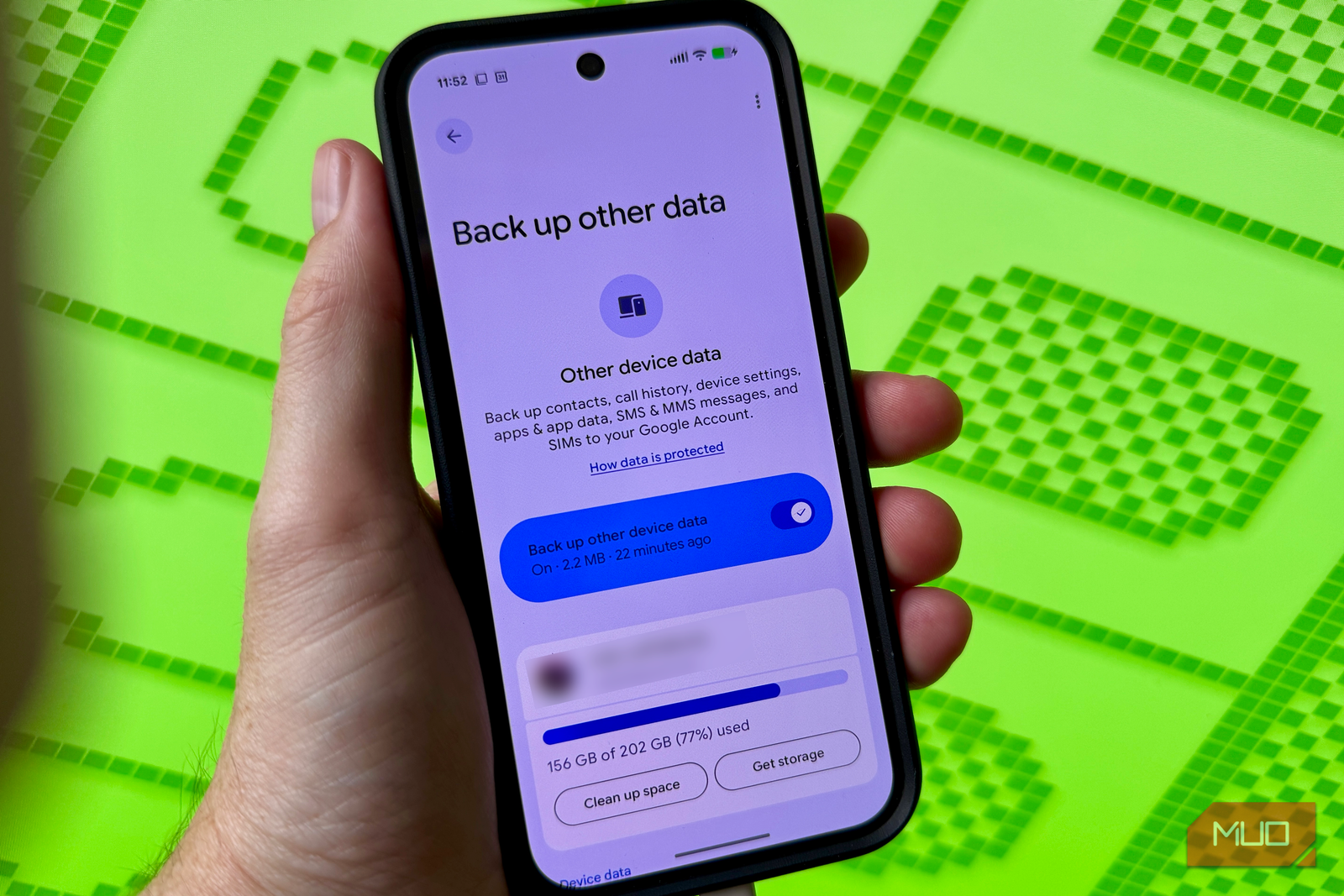
I checked mine on my Pixel 9, under Settings > Accounts and backup > Google Backup > Other device data.
My SMS and MMS messages added up to 6.1KB. Call history came in even smaller, at 649 bytes. Device settings, the biggest of the three, still only hit 462KB. The rest of the 2.2 MB of Other data comes from apps.
So, the new things added to the Other backup cache only add up to roughly 1MB. That’s quite a bit less than the estimate of 40MB. That app data isn’t new to this policy change, either. Per-app backup, the settings and preferences individual apps save so they can restore themselves on a new phone, was already counting against your Google storage before July 7. Google’s rule change only added the SMS, call history, and device settings categories to that existing pile. So the 2.2MB figure isn’t really the cost of the new policy, it’s mostly the cost of running apps at all, and it was already counting towards your storage.
Photos and videos sent as MMS already counted against storage before this change, so the newly counted categories are fairly small: plain text messages, call log metadata, and a settings file. None of those are storage-heavy even after a couple of years of accumulation on my current phone. Text messages just don’t take up much room, either, no matter how many you send.
Of course, not everyone will see this small a number. Android Authority reported that one of its own writers got an estimate closer to 30MB, nowhere near my total but also nowhere near a real problem. If you have years of call logs, a lot of spam texts, or more than one device tied to your account, you could end up with data closer in range to Google’s stated average.
And if you’re already sitting close to your 15GB limit (the free Google Account storage tier), there are many ways to trim what gets backed up to keep your data storage light.
On non-Pixel phones the menu wording can vary a little, but searching for “backup” in Settings gets you to the same breakdown either way.
If you want your own real total instead of trusting Google’s average, the path above is a two-minute check. It won’t cost you anything to look, and if your account is anything like mine, the scary headline number and your actual number won’t be in the same neighborhood. On non-Pixel phones the menu wording can vary a little, but searching for “backup” in Settings gets you to the same breakdown either way.
Google Messages itself doesn’t back up texts by default unless you’ve turned that on, which is worth checking too, since it changes what shows up in this same breakdown. If your SMS/MMS line also reads no data, that setting is probably why, not because you’re texting less than you think.
My numbers were small enough that I left every toggle exactly where it was. Google’s 40MB estimate is much higher than my actual backup data, so I’m glad I checked. If your account has years of history behind it, too, don’t take the company’s stated average for it and take a peek at your own three numbers first.
We want to hear from you. Share your perspective in the comments below, and please keep the conversation respectful.
Your comment has not been saved
This space is open for discussion.
Be the first to share your thoughts.
The best of MakeUseOf, directly in your inbox.
By subscribing, you agree to receive newsletter and marketing emails, and accept our Terms of Use and Privacy Policy. You can unsubscribe anytime.