

A Trusted Friend in a Complicated World
By Marc Saltzman
Published on Dec. 12, 2024
These three little letters could pose a surprisingly big threat when you’re texting. Here’s what RCS means—and why tech experts are concerned.
Another year, another Apple update and another head-scratching question related to it. Yes, those system-wide updates generally offer a slew of cool new features and important security fixes, but they also tend to come with some unexplained additions that most people don’t know the answer to. Right now, after the recent iOS 18 update, that confusing new feature involves three little letters—RCS—that may have started popping up on some of your text messages.
So what is RCS, exactly, and will it make your iPhone experience better? Well, that’s up for debate, according to tech experts. While RCS is an exciting step forward in messaging, it could be dangerous until the kinks are worked out. I spoke with cybersecurity expert Theresa Payton, who served as the first female White House chief information officer, to find out what you need to know about this new iPhone texting feature—and how to stay safe.
Get Reader’s Digest’s Read Up newsletter for more tech, travel, cleaning, humor and fun facts all week long.
RCS stands for “rich communication services,” and it is supposed to create a “richer” texting experience between iPhone and Android users. Its purpose? To bridge the gap between your iPhone and other non-Apple operating systems, which (as you probably know) don’t always align when you’re texting.
More advanced that SMS (simple texting) and even MMS (multimedia messaging service), the latter of which supports photos, videos, audio clips and emojis, RCS texting offers more modern features, including:
As a result of this increased compatibility, RCS texting will feel more like sending texts via Apple’s Messages app or apps like WhatsApp, Signal and Facebook Messenger. But RCS has the same benefit of texting since it operates over a carrier’s cellular connection without the need for a data plan or Wi-Fi (as apps do).
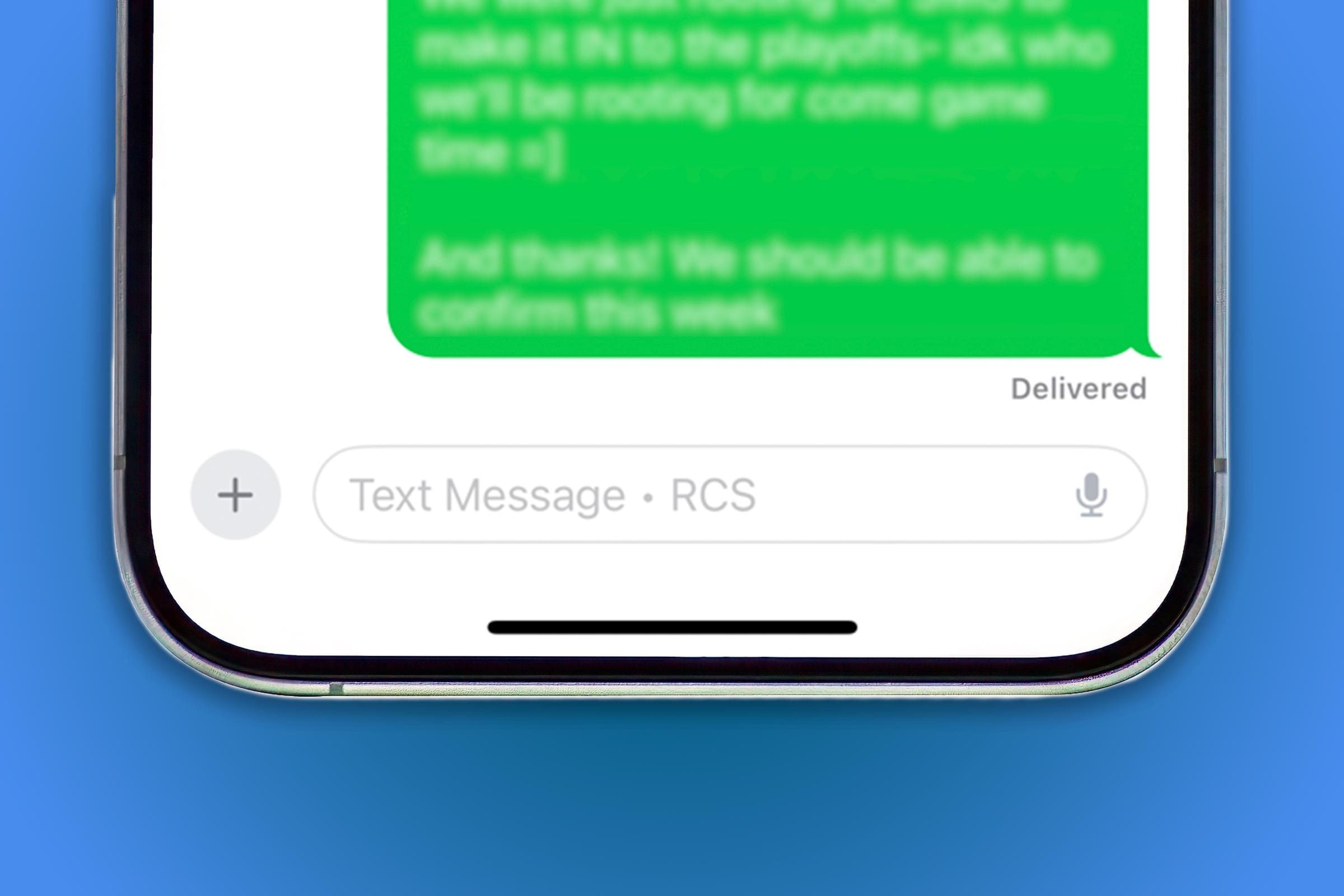
If you have an iPhone, you will see “RCS” when you’re texting with someone who has an Android phone. Specifically, you will see it in Apple’s Messages app in the text box where you type. If the person you’re messaging is on an Android, it will say either “SMS” or “RCS,” depending on whether they’ve enabled the RCS feature (more on that below) and/or if their carrier supports it.
If you’re messaging another iPhone user, however, you will instead see “iMessage” in faint letters in the text box or sometimes above a message.
Android users may also see “RCS.” Provided you’re using Google Messenger, your carrier supports RCS texting and you’ve enabled the feature, you’ll see “RCS message” in the window where you type on an Android—whether you’re texting another Android or an iPhone.
To put it simply, your texts can be more easily hacked, so your phone is more vulnerable. “RCS is not currently end-to-end encrypted and could risk third parties gaining access to the contents of your messages, including data, photos and personal details,” says Payton. “This also means fraudsters and criminals could find workarounds to access the contents of your messages.”
In addition, the recipients of messages through RCS may be able to receive metadata, or identifier information, such as your IP address or phone number. RCS can also increase the risk of security threats, Payton notes.
On the other hand, messages between iPhone users are automatically encrypted (aka protected) when both people are using iMessage. Similarly, Android users who message other Android users over RCS will also have the benefit of encrypted messages. But at this point in time, when an iPhone user communicates with an Android user over RCS, those messages are not end-to-end encrypted.
That said, regular text messages (SMS) between iPhones and Androids aren’t end-to-end encrypted either. So no matter the type of texts you send, you’re taking some risk when messaging someone with a different type of device. The FBI has underscored this fact recently, in light of an SMS attack targeting companies such as AT&T and Verizon. The bureau has warned against Apple users sending messages to Android users and vice versa.
“Recent hacks into carriers highlight the importance of encrypted messaging,” says Payton. “In these incidents, hackers gained access to sensitive customer data, underscoring the vulnerabilities in current telecom systems.” To keep your data safe while texting contacts who use a different type of device, she suggests sending messages through a third-party app that provides end-to-end encryption, like WhatsApp.

Yes. First, figure out if your phone actually has RCS. This applies only to Apple users who have installed iOS 18 and have a text-messaging plan with a carrier that supports RCS. If this is you and you’d like to turn off your RCS messaging until the kinks are worked out, follow the steps below.
For iPhone users:
For Android users:
Until there is a fix for these potential security issues, Payton suggests instead “opting for platforms with proven security track records.” For example, you can try WhatsApp or Signal. “Encrypted services provide robust encryption to protect your conversations from prying eyes,” she adds. “When sensitive information is on the line, it’s critical to make a more secure choice.”
And if you do decide to chance it (and even if you don’t), be hypervigilant about potential scams that may come through on your phone. Statistics show that phishing attacks, which often leverage stolen personal data, increased by more than 61% in 2023. Double-check links and attachments, and never provide personal information through unsolicited messages. And always update your phone and messaging apps to the latest versions to benefit from improved security features and patches—including, hopefully, a fix for this RCS issue sometime soon!
Reader’s Digest has published hundreds of articles on personal technology, arming readers with the knowledge to protect themselves against cybersecurity threats and internet scams as well as revealing the best tips, tricks and shortcuts for computers, cellphones, apps, texting, social media and more. We rely on credentialed experts with personal experience and know-how as well as primary sources including tech companies, professional organizations and academic institutions. For this piece on what RCS on your iPhone means, Marc Saltzman tapped his 30-year experience as a technology journalist and host of the syndicated Tech It Out radio show and podcast to ensure that all information is accurate and offers the best possible advice to readers. Read more about our team, our contributors and our editorial policies.
Why Are My iPhone Messages Green?
Can iPhones Get Viruses?
What Is Lockdown Mode on Your iPhone?
Our Brands
We are no longer supporting IE (Internet Explorer) as we strive to provide site experiences for browsers that support new web standards and security practices.
We recommend our users to update the browser.